This is a widget to enable/disable the data network by simply clicking the widget icon. This widget is completely free with no ads. I tried other similar widgets but never found one I liked so I decided to create one myself.
Note: this functionality no longer works on Android 5 due to a change by Google. As such only Android v4.4 and lower are supported.
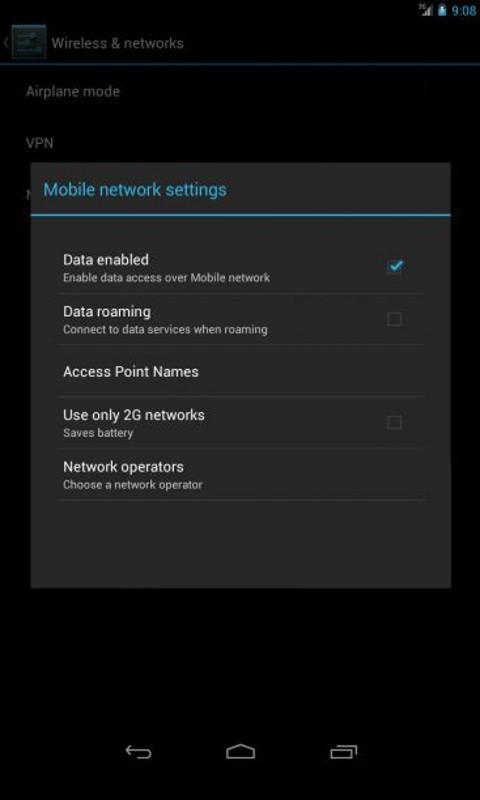
Clicking the widget does the same thing as going into Settings -> Wireless and Networks -> Mobile Networks and changing the setting yourself. See screenshots of the setting from various versions of android below.
For those of us on a limited data plan, a widget like this is very convenient for turning the data connection on and off.
The data network setting will be changed regardless of the presence of a wifi signal. If the phone is currently on wifi, clicking the widget icon will still enable/disable the data network but this does not affect the use of the wifi connection.
The data network can also be enabled/disabled by sending an SMS. You must enable this feature in the settings if you want to use it (it defaults to off). In the settings you can set a custom “command phrase” that you will send in the SMS (the default is “data”). Send an SMS to your device with either “data enable” or “data disable” as the text to enable or disable the data network. If you set your own command phrase, then include that instead, e.g. “my command enable”. On Android versions before 4.4 the SMS texts will not be visible after they are received. However on Android 4.4 (KitKat) the text messages will be visible in the inbox (this cannot be changed).
Note: The widget does not actively monitor the data network setting (to use less resources), so if the data network option is changed manually or by some other means, the widget icon may not be accurate (e.g. the widget shows the green 'enabled' arrows but the data network is actually disabled). If this is ever the case, the next time you click the widget icon it will toggle the setting and update the icon appropriately.
Last updated on Aug 5, 2015
Version 1.2 update: * Added enable/disable by SMS feature by user request. This feature defaults to off, so you must enable it if you want to use it. This feature requires the new SMS permissions, but no messages are read if this feature is disabled.
* Fixed the widget not appearing in the list of widgets immediately on some Android 4 devices.
Version 1.1 update: Fixed the widget crashing for some users (specifically people using PDroid privacy programs or roms with PDroid included).




APKPure - 안드로이드를 중심으로 한 멀티플랫폼 앱스토어로, 다양한 앱 관련 콘텐츠를 제공합니다. 더 쉽고, 빠르고, 안전하게 원하는 앱을 찾아보세요. 빠르고 효율적인 다운로드와 설치가 가능합니다.