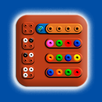
Mastermind is a traditional game of logic, ingenuity and reflection, which consists of guessing a secret code made up of a sequence of colors.
Multiplayer Mastermind for 1 or 2 players, to play on the same device, as in the traditional game, it is not an online game.
Code maker:
● 1 Player: the application generates the secret code automatically.
● 2 Players: one of the players places the secret code.
Code breaker
● the player must guess the secret code.
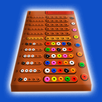
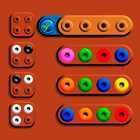
Game layout (from left to right):
• Top row: On the left the button to access the settings, on the right the red shield that hides the secret code and on the left of the shield the buttons to open and close the shield.
• Column 1: Records.
• Column 2: Numerical sequence that establishes the order to follow in the game.
• Column 3: Clues.
• Column 4: Rows where the colors must be placed to guess the code.
• Column 5: Colors in play.
How to play?
• The colors must be placed in the rows, from the first to the last, the order cannot be altered.
• When the combination of a row is confirmed, the row is locked and :
● 1 Player: the clues appear, then it goes to the next row.
● 2 Players: - The panel for placing the clues is displayed. When the clues are confirmed, you go to the next row. - If no clues are placed, and they are confirmed, the clues are automatically generated.
◉ The position of each clue does not correspond to the position of each color, you have to guess which color each clue corresponds to, therefore, the position of each clue is random.
• If before the end of the game the shield is opened to see the secret code, it will be possible to continue playing but the game will not be taken into account for the records.
• The game ends when the secret code is guessed or when the last row is completed.
• At the end of the game, the shield opens and shows the secret code. By pressing the button next to the secret code:
● 1 Player: a new game will be automatically generated.
● 2 Players: the new secret code can be placed, once the confirmation button is pressed, the new game begins.
• Auto save / load.
Types of movement:
• Drag and drop.
• Press the desired color and then press destination position.
What do the clues indicate?
● Black Color: A color that exists in the secret code has been placed in the correct position.
● White Color: A color that exists in the secret code has been placed in the wrong position.
● Empty: A color that does not exist in the secret code has been placed.
Row in play (is highlighted):
• Delete a color: drag and drop it out of the row.
• Change a position color: drag and drop it to the desired position.
• Place colors: you can select them from the column where all the available colors are, or from any row that contains colors.
Set a color in all rows:
• make a long press on a color placed on the board and it will be placed in the same position of all the upper rows. If you make a long press on the same color again, it will be deleted.
Game types:
● Nano3: 3 color secret code.
● Mini4: 4 color.
● Super5: 5 color..
● Mega6: 6 color.
Records:
• In column 1 of the records, the minor row where the game has been solved will be marked.
• There is a different record for each combination of game type, level and options.
• You can only erase a record at the start of each game, when the first row is not completed.
• To erase a record, the mark must be dragged out of its position.
Options:
• You can play with colors, shapes, numbers or letters.
• Repeated colors: the secret code may contain repeated colors.
• Extra color: one more color.
• Empty gap: the empty gap is used as an extra color, it has the same functionality.
• Sound: enable or disable.
• Flash: The shield lights up when a color is selected.
mastermind
Last updated on Mar 24, 2026
Multiplayer Master mind for 1 or 2 players, to play on the same device, as in the traditional game, it is not an online game.
• Open the shield to see the secret code:
at any time you can open the shield to see the secret code.
• Set a color in all rows:
make a long press on a color placed on the board and it will be placed in the same position of all the upper rows. If you make a long press on the same color again, it will be deleted.
Classic Mastermind



APKPure - 안드로이드를 중심으로 한 멀티플랫폼 앱스토어로, 다양한 앱 관련 콘텐츠를 제공합니다. 더 쉽고, 빠르고, 안전하게 원하는 앱을 찾아보세요. 빠르고 효율적인 다운로드와 설치가 가능합니다.