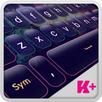
Have a bright glowing day! If you feel gloomy, your mood is down and nothing really helps, you need some sunlight and some vivid colors. Light therapy is a great way to get a better mood, feel happier and healthier. Glow in a new light, put a smile on your face and be happy. The glow of happy colors will definitely help you. Dress comfortably, turn up the volume on the radio, have a good time and see yourself glow. Match your best mood with your smartphone and get the new Keyboard Plus Glitter keyboard theme. Install this Keyboard Plus Glitter theme on any Android device and tell all your friends that Keyboard Plus makes the best keyboard themes ever! Get this theme today and make your keyboard glitter like diamonds!
I need help applying a Keyboard Plus theme. How do I do it?
To apply a Keyboard Plus theme, you need to follow these 3 simple steps:
1 download the Keyboard Plus Glitter from the Google Play store
2 open the Keyboard Plus Glitter theme
3 press the Activate button from the Keyboard Plus Theme Manager
All of our themes come with custom fonts that match the style of the theme. Don't worry about anything, the special font will be displayed automatically after you apply the theme. This theme uses a free FFonts™ font: http://www.ffonts.net/Strong-Regular.font.download
New layouts for various languages coming soon.
Have something to tell us? For suggestions or bugs, contact us at thememasters1@gmail.com and we will reply faster than you can say "Keyboard Plus" !
Can I change the size of the font?
Yes, from the Quick Settings tab (the 5th button from the option bar), you can control the
Keyboard Size from the 3 possibilities: S - small, M - medium and L - large.
Latest Version
3.0.38Uploaded by
Rebaz Gaemr
Requires Android
Android 4.2+
Category
Free Personalization AppContent Rating
Everyone
Report
Flag as inappropriateLast updated on Sep 30, 2018
This release includes minor bug fixes and general improvements. Update to the latest version for the best experience.



APKPure - A multi-platform app store primarily focused on Android, providing extensive app-related content. Discover the app you want easier, faster, and safer, with quick and efficient downloads and installations.