The app is not an official Minecraft product, not approved by or associated with Mojang or their respectful owner.
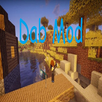
Oiled Resource Pack 1.12.2/1.11.2 for Minecraft maintains the current Minecraft textures while making them smoother and more ‘oiled’ in an artistic style that makes for an aesthetic experience. It is a fresh new Pack so you should definitely support and give it a try.
How to install:
Download a resource pack, you should get a .zip file.v
Open the folder to which you downloaded the file.
Copy the .zip file.
Open Minecraft.
Click on “Options”, then “Resource Packs”.
Choose “Open resource pack folder”.
Paste the file into the resource folder in Minecraft.
Go back to Minecraft, the resource pack should now be listed and you can activate it by choosing it and hitting “Done”.
Last updated on 2019年03月02日
このバージョンには軽微な不具合の修正と全般的な改善が含まれています。快適に利用するため、最新版にアップデートしてください。



APKPure - Androidを中心としたマルチプラットフォームのアプリストアで、豊富なアプリ関連コンテンツを提供しています。より簡単に、より速く、より安全にアプリを見つけることができ、ダウンロードとインストールも迅速かつ効率的です。