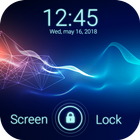
Very High security lock screen with Passcode and Pattern style with Hd wallpapers and Slide to Unlock. You can set 4-digit passcode pin security lock screens. And Material Theme Lock Pattern.
With AppLock Security, it’s easier to protect your launcher and the themes can make your launcher more beautiful. Lock Screen is not only a private guard. It provides various useful widgets and interesting themes for decorating your lock screen while protecting privacy and ensuring security.
TOP Features:
⦁ Simulate beautiful animation of Firefly on screen with hd backgrounds.
⦁ High Security keypad, pattern lock screens.
⦁ Classic way to unlock your phone easily using “slide to unlock”.
⦁ Customized sliding text to keep your own name.
⦁ Customize your lock screen with applying multiple fonts for each item on lock screen.
⦁ Options to Unlock your phone with beautiful Animations and Different Sounds.
⦁ You can set Passcode for keypad lock screen in order to safe your phone from prying eyes and unwanted user in our very strong security passcode lock screen .
⦁ Amazing New Firefly Theme HD Wallpapers for the background of lock screen.
⦁ Customize and create beautiful lock screen with applying new fonts for each items on lock screen and also apply your favorite colors and impress your friends by showing your lock screen.
⦁ Support Blur Effect when slides to passcode and also view Notifications for new incoming messages, missed call, mail etc. Enable Notification from settings inside app.
⦁ User friendly and clean design to consume less memory and battery usage of your phone.
⦁ Instant Testing your customized lock screen by clicking on “PREVIEW” option whenever you change any settings within app.
⦁ On/off lockscreen with just one click.
★ ★ ★ How to Use ★ ★ ★
- Open the app settings, touch "Enable lock Screen" to enable it (default settings)
- Touch "Set Passcode" and choose your passcode (four-digit numeric code)
- Update your Passcode by touch "Change Passcode"
- Switch to different beautiful backgrounds by touch "Set Lockscreen Wallpaper" and preview it.
- Click to "> slide to unlock" to custom your lock message.
Thank You.
Last updated on 2022年09月17日
このバージョンには軽微な不具合の修正と全般的な改善が含まれています。快適に利用するため、最新版にアップデートしてください。



APKPure - Androidを中心としたマルチプラットフォームのアプリストアで、豊富なアプリ関連コンテンツを提供しています。より簡単に、より速く、より安全にアプリを見つけることができ、ダウンロードとインストールも迅速かつ効率的です。