Document Scanner Pro is an app for scanning documents, images, is a scanner of bar codes and QR codes using the camera of the mobile device.
Document Scanner Pro is tiny scanner app (only ~10 MB download) to make your phone become a amazing scanner (or called by other names as CamScanner, Tiny Scanner, PDF Scanner, etc...) to scan photos, PDFs, receipts, reports, or just about anything in everywhere. Document Scanner Pro uses best algorithms to detect documents edge, enhance texts, graphics, and easy to manage or share in PDF, JPEG formats.
It is like incorporating a scanner with extensive functionality to the mobile to use it at any time and place, file, edit, make lists and share the files obtained in PDF format.
The new version of Document Scanner for smartphone and tablet mobile devices is now available.
Document Scanner Pro is like an easy-to-use and fast-access toolbox
Document Scanner Pro Features:
★ Mobile scanner
Turn your device to a scanner, scan everything as photos, reports, receipts,...
★ Scan Automatically
Detect document edge automatically.
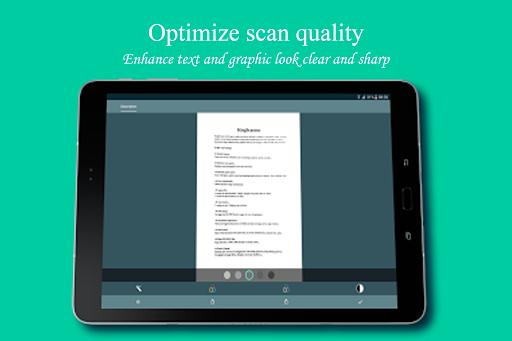
★ Optimize scan quality
Enhance texts and graphics look clear and sharp.
★ Speed & quality option
Scan with higher quality mean that decoding speed is slower (3 options : slow, medium, fast).
★ PDF settings
Set page sizes for PDF (Letter, Legal, A3, A4, A5 and more).
★ Documents Organization
Name and organize documents in folders and easy to merge, move, copy or delete.
★ Quick search
Easy to find document with search tool, or sort by modified time, creation time, name.
★ Apply effect
4 modes for scan document : Magic, Original, Grayscale, Black & White.
5 levels for adjust contrast, text bold.
★ User interface
2 modes to view : GridView or ListView.
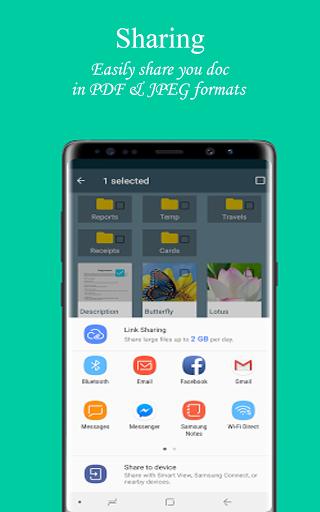
★ Share PDF/JPEG files
Easy share doc in PDF, JPEG formats via social, email,...
★ Print & Upload
Instantly print out docs in Document Scanner Pro with nearby printer by Cloud Printing Service.
Or upload to Google Drive, Box, Dropbox, Evernote,...
You have at your fingertips a free document scanner with a simple and intuitive operation, since with a simple and fast download you will transform your mobile device into a pdf scanner camera.
How to use Document Scanner Pro App:
1. Select document you need from Gallery or capture with Camera.
2. Select a part of document or full. Rotate document to correct direction.
3. Apply effect with 4 modes : Magic, Original, Grayscale, Black & White.
4. Press done! and you can manage your documents easy for now!
We also offer the option to share Document Scanner and to contact us with any questions, contributions or requests.
Document Scanner Pro offers all this totally free!
Download it now!
Last updated on 2018年03月27日
このバージョンには軽微な不具合の修正と全般的な改善が含まれています。快適に利用するため、最新版にアップデートしてください。



APKPure - Androidを中心としたマルチプラットフォームのアプリストアで、豊富なアプリ関連コンテンツを提供しています。より簡単に、より速く、より安全にアプリを見つけることができ、ダウンロードとインストールも迅速かつ効率的です。