What is ClassFlow?
ClassFlow - the “all-in-one” teaching tool for creating & orchestrating interactive multi-media lessons across a connected learning environment. ClassFlow has received 2014 commendations from prestigious organizations such as SIIA and The ComputED Gazette.
Open a free account on www.ClassFlow.com and use the ClassFlow suite of mobile apps to enhance your classroom interaction, personalization & collaboration.
ClassFlow Teacher Remote app (for iPhone, iPod Touch & Android-powered phones) (Free)
ClassFlow Teacher app (for iPads & Android-powered tablets) ($7.99)
ClassFlow Student app (for iPads, Windows & Android-powered tablets) (Free)
How to get started?
Teachers can register for a free ClassFlow account and begin lesson creation & planning at www.ClassFlow.com, without the need to download any apps. ClassFlow can be used with any computer, any operating system and most leading brands of classroom displays (interactive whiteboards, projectors, etc.) & connected devices. To drive interactive lessons from anywhere in the classroom, any mobile device or tablet can be used with the ClassFlow Teacher app. To share content between teacher and student devices, there should be at least one connected student device with the ClassFlow Student app downloaded. All devices need an Internet connection.
ClassFlow benefits:
Bring your classroom devices to life
—Deliver interactive multi-media lessons throughout your connected classroom.
Gain real-time insight and feedback
— Receive real-time insight into student learning and progress through rich interactive & differentiated formative assessment.
Differentiate instruction & assessment
—Customize multi-media lesson content based on individual learning style & conduct self-paced, leveled assignments.
Use one single platform for creating & storing your interactive multi-media lessons
—Search & import existing content such as SMART Notebook files, PDFs, Microsoft Word & PowerPoint™ docs, Promethean ActivInspire flipcharts, and video files from multiple sources - Google Drive, OneDrive, Dropbox, external & local drives, and the web.
Note: Access ClassFlow using your Microsoft Office 365, Facebook, or Google log-in credentials.
Features of ClassFlow Teacher Remote App (for iPhone, iPod Touch & Android-powered phones)
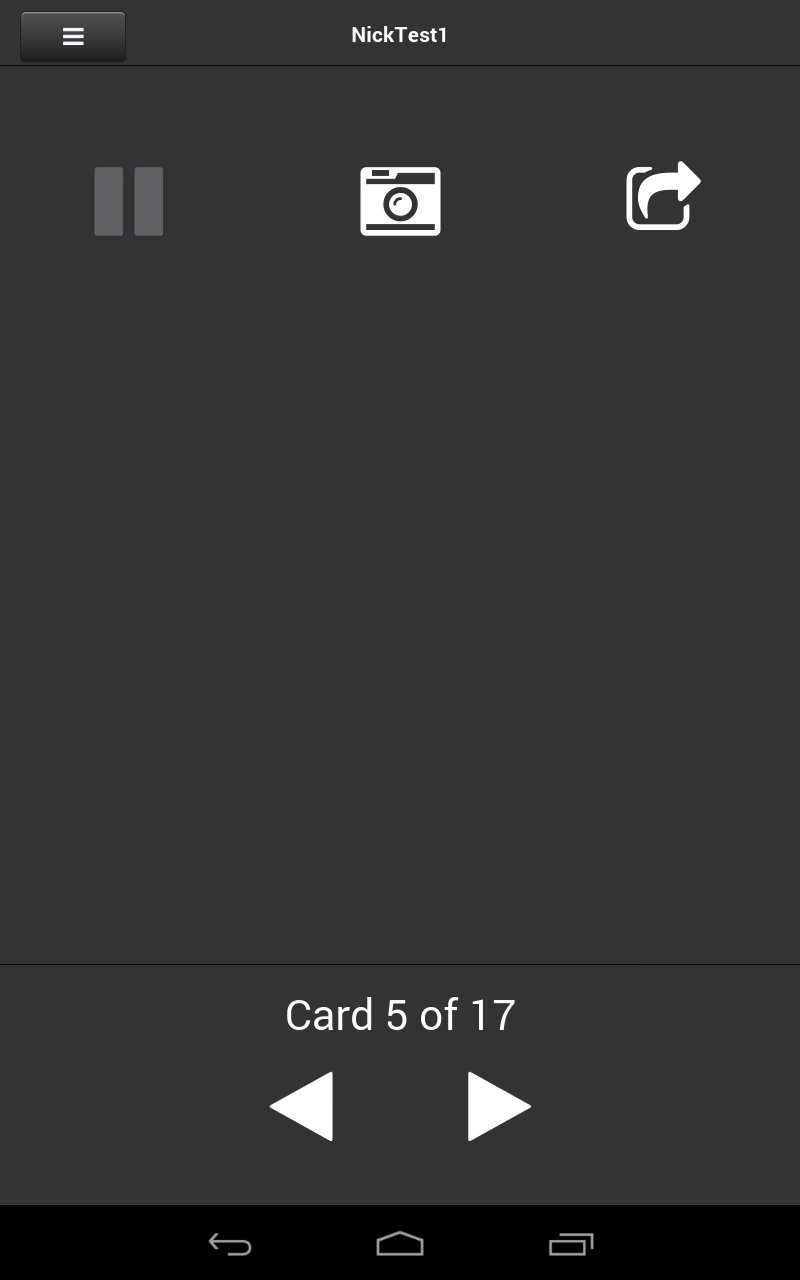
• Navigate your lesson while displaying it on your classroom display, from anywhere in the classroom.
• Take a picture; share it immediately on your classroom display to start a collaborative discussion.
• Control a live polling session, including a pause for teachable moments.
Additional features on the ClassFlow Teacher App (for iPads & Windows & Android-powered tablets)
• Get access to the Teacher Remote app capabilities.
• Interact with and annotate lesson content from anywhere in the classroom.
• Share interactive content with students on their learning devices.
• Send differentiated content to student learning groups.
• Assess with a range of question types- text, multiple choice, creative response, equation, math, true/false, sort & order, etc.
• View real-time progress on your live assessment screen.
• Allow students to demonstrate learning in a wide variety of ways, including open-ended activities, such as graphs, diagrams, photographs, and extended written responses.
• Access your lesson notes while navigating the lesson.
With the ClassFlow Student App (for iPads, Windows & Android-powered tablets)
• Students can join a ClassFlow lesson with any connected device through Android, iOS, or Windows 8 apps or from a web browser.
• Students can receive lesson content from the teacher, customized to their learning styles.
• Learners can creatively respond and contribute to the lesson by drawing, writing, annotating, etc.
• Students can participate in real-time polls, quizzes, surveys, and self-paced tests.
Last updated on 2015年05月27日
このバージョンには軽微な不具合の修正と全般的な改善が含まれています。快適に利用するため、最新版にアップデートしてください。





APKPure - Androidを中心としたマルチプラットフォームのアプリストアで、豊富なアプリ関連コンテンツを提供しています。より簡単に、より速く、より安全にアプリを見つけることができ、ダウンロードとインストールも迅速かつ効率的です。