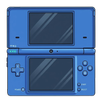
AzaharPlus is a fork of one of the most popular Nintendo 3DS emulators available on Android: [appID=1000204387]Azahar[/appID]. This version of the emulator offers exactly the same features and compatibility list as the standard version but includes two additional features that set the two apps apart and may mean that many users might prefer this new version. The emulator will be updated at exactly the same rate as the original version.
Support for .3DS files
The first additional feature in AzaharPlus is very simple: it supports the .3DS file format. This means that any ROM that originally worked on [appID=748469]Citra[/appID] will also work smoothly on this emulator. For various reasons, the standard version of Azahar removed support for .3DS files, a change that annoyed many users. So, thanks to this simple feature, you'll be able to use your entire original collection of Nintendo 3DS ROMs once more.
Download system files easily
The second feature that differentiates AzaharPlus from the classic version of Azahar is that you can download system files from official servers. This means that, in theory, you no longer need to have a Nintendo 3DS on hand to set up the emulator. These two simple additions make this emulator an upgraded version, as it means you can start playing your favorite games much faster.
Loads of configuration options
Like almost all Nintendo 3DS emulators, AzaharPlus has a good range of options to optimize performance on your Android device. From the Settings tab, you can change the emulator's API graphics (OpenGLES by default). You can also change the initial internal resolution of games (400x240 by default) or add several texture filters to make the image look different. From the control settings, you can also customize the console button layout on your Android device screen. You can even use a Bluetooth controller if you have one handy.
An enormous -and still growing- compatibility list
The compatibility list of AzaharPlus grows with each day. In fact, it shares exactly the same compatibility list as Orange Blossom itself. You can take a look at all the supported titles on the official website. Each title will show one of the following statuses: Not Tested, Menu, Bad, Okay, Great or Perfect. Thanks to this, you can easily find out if the video game you want to play is working properly and also know exactly what to expect before you even try it.
The best N3DS emulator, now even better
Download the AzaharPlus APK and enjoy the best Nintendo 3DS emulator for Android, with even more features than its vanilla version. Thanks to this emulator, you can enjoy the extensive catalog of the famous Nintendo handheld console in the most convenient way possible. All you have to do is save the ROMs in .3DS format in a directory on your Android device, and the emulator will recognize them instantly.
Last updated on 2026年05月12日
このバージョンには軽微な不具合の修正と全般的な改善が含まれています。快適に利用するため、最新版にアップデートしてください。

APKPure - Androidを中心としたマルチプラットフォームのアプリストアで、豊富なアプリ関連コンテンツを提供しています。より簡単に、より速く、より安全にアプリを見つけることができ、ダウンロードとインストールも迅速かつ効率的です。