Scan Date:Apr 14, 2026
Show More


JoyPlan fits moments when you need to capture ideas, measure spaces, and present a design without leaving mobile. Homeowners can sketch layouts and try finishes before buying, while designers and contractors can prepare visuals and documents during site visits. As work moves from first measurements to client presentations, everything stays organized inside one workspace for clarity and speed. People who want to download JoyPlan get a mobile tool that connects planning with clear communication.
Fast floor planning in 2D and 3D
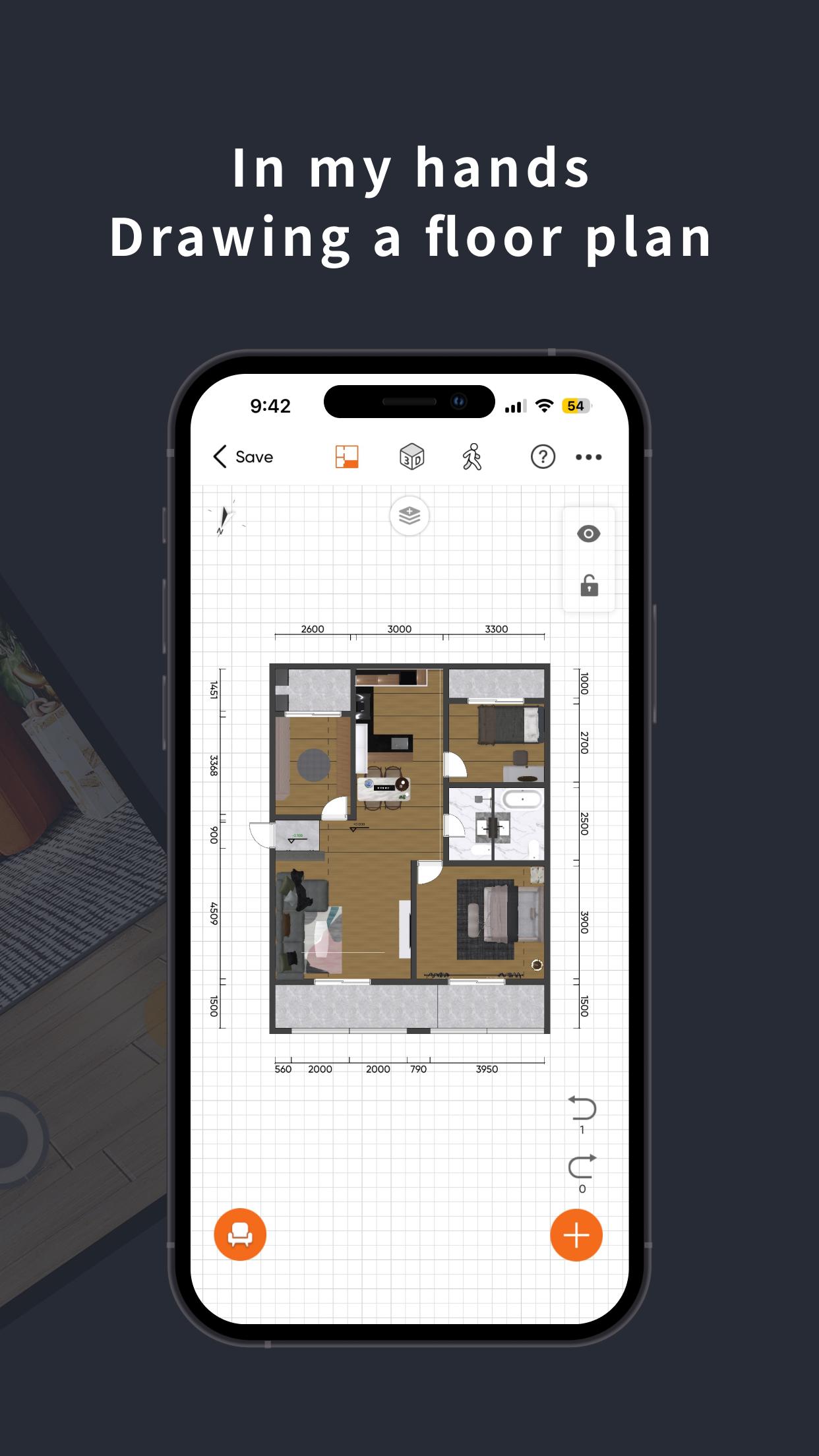
JoyPlan lets you draw accurate floor plans, place walls, and set dimensions with simple controls. You can add doors and windows and adjust openings to match real rooms. When the layout is ready, switch to 3D to review height, volume, and circulation. Complex shapes and multi level structures are supported so you can map real homes, not just simple boxes.
Large model library and material editing
You can furnish rooms with a library of more than 300,000 models. Drag furniture, appliances, and decor into the scene, then fine tune positions and sizes. The Material Editor helps you test paints, tiles, flooring, and exterior finishes so surfaces look consistent across rooms. This saves time when comparing options before ordering materials.
Photorealistic renderings and VR panoramas
JoyPlan produces photorealistic renderings that show light, materials, and shadows in detail. You can also create 720° VR panoramas to let clients or family look around a space from a fixed point. These outputs help confirm layout choices and finishes before any work starts. Sharing visuals keeps discussions focused and reduces misunderstandings.
Professional documents and quick estimating
From the same project, JoyPlan exports CAD drawings, elevations, colored plans, and overhead views. You can generate an estimate with one tap based on the items and areas in your plan. This supports quick reviews with clients and keeps documentation consistent. When you update a room, you can refresh drawings and numbers without starting over.
Capture tools and on site workflows
JoyPlan supports space scanning to speed up measuring, along with freeform modeling for niches and platforms. Plumbing and electrical pipeline editing helps you plan routes and avoid clashes. You can run sunlight analysis to check light across the day. Photos, notes, and cross device sharing keep field details linked to the plan.
Installation is free and the core workflow works on mobile from start to finish. If you prefer manual installation, the JoyPlan APK provides the same toolset as other builds. A business demo and a learning video hub are available on the official site to help teams evaluate features. For client work, many users prepare before and after visuals and a quick estimate to support sign off during a meeting.
This quick guide outlines a basic room redesign from layout to deliverables. JoyPlan for Android follows a simple flow that starts with a plan and ends with visuals and documents.
JoyPlan keeps measuring, planning, visualizing, and documenting in one mobile workspace. For a stable toolset and the newest updates, check the JoyPlan latest version before starting a project.
If you need official contacts or learning links, use the information below.
Latest Version
26.2.2Uploaded by
Thiago Andric
Requires Android
Category
Free House & Home AppContent Rating
Everyone
Security Report
Report
Flag as inappropriateLast updated on Apr 14, 2026
1.Added AI Cabinet feature
2.Implemented performance optimization





APKPure - A multi-platform app store primarily focused on Android, providing extensive app-related content. Discover the app you want easier, faster, and safer, with quick and efficient downloads and installations.