Package Name:com.capslock.jhalakai
SHA-256:7e0d54c57a30dbf9a04569e3fcccfebdcb76bc77c40d705fef4668031583c6f5
Show More

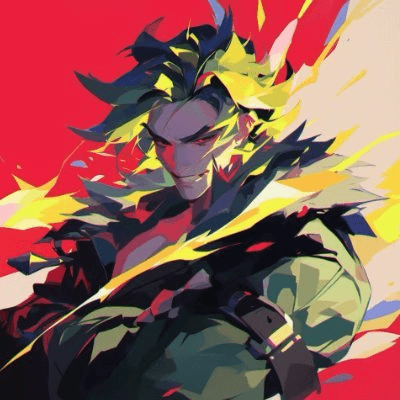
JhalakAI: AI Photo Generator helps when you want a fresh portrait for profiles, stories, or a festival post without manual editing. You upload a few selfies and describe the look you have in mind, then the app prepares styled images sized for quick sharing. Whether you prefer a ready template or a custom idea, the process stays simple from start to finish. If you plan to download JhalakAI: AI Photo Generator, it is built to keep the steps short and easy.
Trend led Indian templates
JhalakAI: AI Photo Generator offers ready made looks inspired by Bollywood, royal weddings, cricket, IAS portraits, devotional themes, and festivals. New options appear in line with what is popular, so you can match current seasons and big events. You choose a style and the app applies it to your selfies to create a themed portrait.
Prompt based photo creation
You can describe a look in Hindi, Hinglish, or English to generate a custom image. Short instructions like “Diwali night portrait with ethnic outfit” or “cricket stadium background” guide the result toward your idea. This is helpful when standard templates do not cover a specific style you have in mind.
Lightweight and quick to use
The app aims to run smoothly on a wide range of Android phones. Generation starts quickly and does not rely on large asset downloads before you begin. This helps you create images even when time or storage is limited.
Share ready sizes for social
Outputs are prepared for Reels, Stories, and WhatsApp display pictures. You can share with one tap without opening another editor to crop or reformat. This keeps the flow from creation to posting short and consistent.
Simple access and privacy handling
You sign in with a phone number to get started, then use daily free generations to try different looks. Premium templates and unlimited access are available with a subscription, and common local payment methods such as UPI may be supported where applicable. Uploaded photos are used only to create your images and are not sold.
The template set centers on Indian use cases like wedding portraits, cricket themes, festival posts, and celebrity styled looks. This focus helps you prepare images that feel familiar across local social feeds. It also means new designs often align with national holidays and major matches.
JhalakAI: AI Photo Generator accepts prompts in Hindi, Hinglish, and English to lower the barrier for first time users. This approach reduces the need for specific phrasing and keeps the creative step straightforward. If you prefer to avoid typing, you can rely on template selection instead.
Daily free generations allow basic use without payment, which can be helpful while testing styles. Subscriptions unlock premium templates and remove limits for users who create frequently. Availability and pricing may vary by region and payment method.
Getting started takes a few minutes and follows a clear flow from upload to share. The steps below outline the typical process on an Android phone using the JhalakAI: AI Photo Generator APK.
JhalakAI: AI Photo Generator prepares styled portraits from a few selfies with options for templates or prompts. It keeps the flow short so you can move from idea to post without extra editing. To explore the JhalakAI: AI Photo Generator latest version, check available templates and try the daily free generations before deciding on a subscription.
If you need official information or support, use the link below.
Latest Version
1.1.0Uploaded by
Dimitar Dimitrov
Requires Android
Android 7.0+
Category
Free Lifestyle AppContent Rating
Everyone
Security Report
Check Now
Report
Flag as inappropriateLast updated on Oct 29, 2026
Bug fixes and improvements




APKPure - A multi-platform app store primarily focused on Android, providing extensive app-related content. Discover the app you want easier, faster, and safer, with quick and efficient downloads and installations.