Scan Date:Feb 6, 2025
Show More


jetAudio suits listeners who keep music in many formats and across different locations. It helps you play local files, home network shares, and cloud libraries without complicated setup. The app focuses on sound quality, customization, and dependable playback, and it brings CNET’s highest rated JetAudio experience to Android. As a result, it works well for everyday listening at home or on the move. If you prefer a direct install, the jetAudio APK offers a straightforward way to get started.
Play almost any audio format
jetAudio handles a wide range of file types so you can keep one player for your entire library. Supported formats include MP3, WAV, OGG, FLAC, M4A, APE, TTA, WV, MPC, MOD such as S3M and IT, SPX, OPUS, and AIFF. WMA support may depend on your device, so results can vary by model. This broad coverage makes it easier to organize mixed collections without converting files.
Sound effects and optional add ons
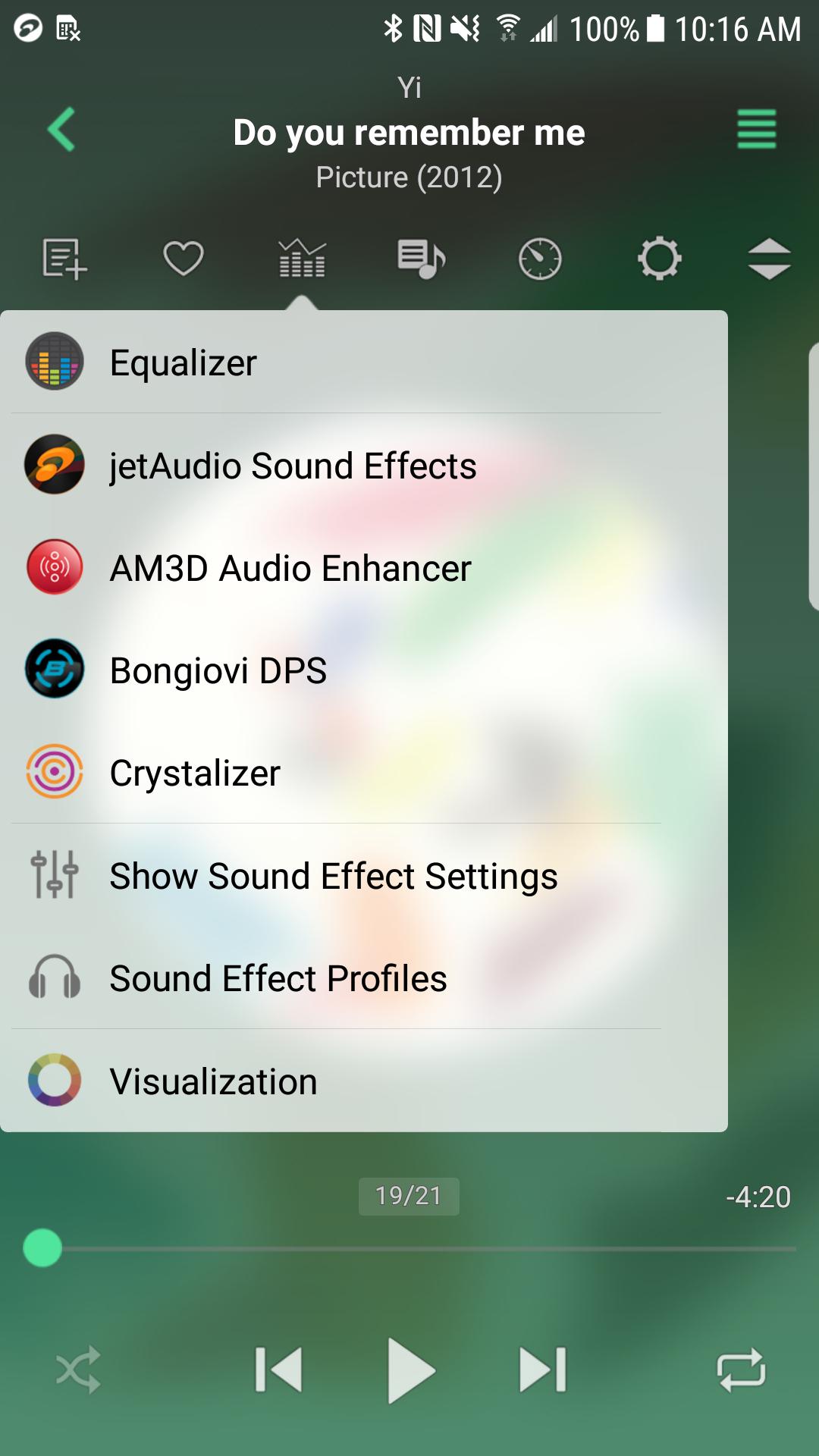
jetAudio includes Wide, Reverb, and X Bass so you can shape the sound to your taste. Additionally, you can extend the app with optional plugins such as Crystalizer, AM3D Audio Enhancer, and Bongiovi DPS, plus visualizations, which are available as in app purchases. These add ons are designed for listeners who want more control over the sound field. You decide which extras to enable based on your listening setup.
Equalizer and playback control
jetAudio provides 32 presets and a graphic equalizer with 10 band or 20 band options depending on your edition. The player also includes AGC to keep volume levels even across tracks. You can enable crossfade, gapless playback, and fade in or fade out for smoother transitions. For detailed control, use A to B repeat, speed adjustment, and pitch control, with pitch shifter and full 20 band EQ available in jetAudio Plus.
Stream from network and cloud
jetAudio can play from shared folders on your WiFi network, including Windows shares, NAS devices, and router USB storage. It also supports WebDAV for additional server access. For online storage, the app connects to Google Drive, Dropbox, Box, and OneDrive, so you can reach music libraries without moving files. This approach helps when your collection spans both home servers and cloud accounts.
Flexible interface and Plus options
jetAudio offers widgets, lock screen controls, grid or list views, and an expanded notification for quick actions. You can use Bluetooth headset buttons, simple shake or flick gestures, Find on YouTube, and Last.fm integration to match your routine. Lyrics display is available in Plus, along with tools like a tag editor for MP3, FLAC, OGG, and M4A, MIDI playback via WaveTable synth, pitch shifter, fast forward and rewind interval options, and additional themes. The Basic edition includes ads and a smaller feature set, while jetAudio Plus removes those limits for advanced users.
There are two editions. The Basic edition includes ads and fewer tools. jetAudio Plus adds a 20 band EQ, a multi format tag editor, pitch shifter, lyrics display, MIDI playback, extra theme choices, and more control over seek intervals. If you plan to edit tags or fine tune sound in detail, consider the Plus upgrade.
Some sound plugins and visualizations such as Crystalizer, AM3D, and Bongiovi DPS are sold separately as in app purchases. WMA playback can depend on your specific device. The full name may appear as jetAudio Hi-Res Music Player in some places, which refers to the same app family. For stability and compatibility improvements, installing the jetAudio latest version is recommended. The app’s strong reputation includes high ratings on CNET, which many users value when choosing a player.
After a quick jetaudio app download, setup takes only a few steps. The process is simple and helps you start playing your library right away. Follow the steps below to scan music, connect storage, and adjust sound.
jetAudio focuses on quality playback, flexible control, and easy access to music stored locally, on home networks, and in the cloud. To begin, download jetAudio and set up the sources you use most.
For official support and more details, use the links below.
Latest Version
12.3.1Uploaded by
Team Jet
Requires Android
Android 5.0+
Category
Free Music & Audio AppContent Rating
Everyone
Security Report
Report
Flag as inappropriateLast updated on May 5, 2026
Minor bug fixes and improvements. Install or update to the newest version to check it out!





APKPure - A multi-platform app store primarily focused on Android, providing extensive app-related content. Discover the app you want easier, faster, and safer, with quick and efficient downloads and installations.