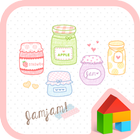
★ Apply the theme to transform your background screen, icon and launcher widget! :D
■ How to apply a theme
- Install dodol launcher (if you haven't yet).
- Press the home button and set the dodol launcher as the default home launcher by selecting
[Use as default value for this task] or [Always].
- Open the launcher menu by swiping the home screen upwards, select the [Theme] menu, then select and apply
the theme of your choice.
■ Why dodol Launcher is so special
- simple, sophisticated, Cute, vibrant, cuddly and warm themes are continuously updated
- The default widget offers convenient functions, including quick switch and memory cleaner
- Apps/widget can be used easily with the dock and alert shortcut list
- Offers functions that can be used to decorate fonts/ringtones/keyboards
- Offers detailed functions for screen rotation/individual icons/folders etc...
-Supports functions in a convenient and stable manner by copying the home screen and creating backups of settings
■ Precaution
- Is available only in Android ver. 4.0.3 and above
- Some functions cannot be applied in certain devices.
■ Customer Support
Email support_launcher@campmobile.com
Facebook http://facebook.com/dodolhome
Latest Version
4.1Uploaded by
Abu Firaz
Requires Android
Android 4.0.3+
Category
Free Personalization AppContent Rating
Unrated · Warning – content has not yet been rated. Unrated apps may potentially contain content appropriate for mature audiences only.
Report
Flag as inappropriateLast updated on Jan 15, 2016
This release includes minor bug fixes and general improvements. Update to the latest version for the best experience.



APKPure - A multi-platform app store primarily focused on Android, providing extensive app-related content. Discover the app you want easier, faster, and safer, with quick and efficient downloads and installations.