A complete 27-tool workspace for PDFs, document scans, photos, QR codes, word/byte counting, video, audio, data and ZIP files, right on your phone.
Files never leave your phone. There is no server, so the files you pick and the results you make stay 100% on this device.
Basic tools are ready right away. Premium tools can't be bought; they open one by one as you use the app.
■ Popular Everyday Workflows
・Document & Receipt Scanner to A4 PDF: Turn camera photos of contracts, receipts, and notes into crisp A4 PDFs with high-contrast scan & B&W filters (JPG to PDF, image to PDF)
・Word, Character & Byte Counter + Line Cleaner: Check characters (with/without spaces), UTF-8 & 2-byte CJK bytes, words, and lines in real time; remove blank or duplicate lines in one tap
・Long Screenshot & Receipt Stitcher: Combine multiple chat captures or receipts vertically, horizontally, or in a 2-column collage grid
・ID Photo Background & Transparent Signature PNG: Remove white backgrounds to transparent PNG or fill with studio/ID photo backdrop colors
・Wi-Fi, vCard & URL QR Code Generator: Create high-resolution scannable QR codes for Wi-Fi auto-join, website links, and contact cards
・PDF Page Numbers, Visual Split & Compression: Stamp header/footer page numbers (1/10, Page 1), extract odd/even/custom pages, and shrink file size for email attachments
■ PDF (9 Tools)
・Merge: Combine up to 30 PDFs in order, with 1-tap reverse order
・Split: Tap page thumbnails visually or enter ranges ("1-3,5,8-"), odd/even, or single pages
・Arrange pages: Preview thumbnails, delete, reorder and rotate 90°
・Photos → PDF: Convert up to 100 photos into one PDF (original, A4 portrait/landscape, margins, crisp scan filter)
・PDF → images: Export pages as PNG or JPG (1x to 3x) or a single ZIP
・Extract text: Pull text out as TXT and copy immediately
・Watermark: Stamp text watermarks (Confidential/Draft presets, size, opacity, angle, 9 positions or tiled)
・Compress: Shrink PDF size in three levels (re-renders pages as images)
・Add page numbers: Stamp page numbers in 6 header/footer positions with customizable formats and cover-page skip
■ Images & QR (8 Tools)
・Convert format: Batch convert up to 50 images to JPG, PNG, WebP or from HEIC
・Resize & shrink: Scale by long edge in pixels or percentage with live resolution preview
・Remove white background: Make white backgrounds transparent PNG or fill with ID/studio colors (threshold & feathering)
・Photo watermark: Live-previewed text watermarks
・Quick adjust: Scan, B&W, vivid & warm presets, brightness/contrast/saturation, rotate/flip, and 1:1, 4:3, 3:4, 16:9 crop
・Stitch photos: Combine up to 20 photos vertically, horizontally, or in a 2-column grid with spacing & border controls
・Make QR code: Live QR matrix preview for URLs, Wi-Fi networks, vCard contacts, and text up to 2048px PNG
・App icon set & Store screenshot: Generate full iOS/Android/Web favicon ZIP sets or framed store screenshots
■ Text, Data & Document Typesetting (3 Tools)
・Word & byte counter: Live character/byte/word/line dashboard plus 1-tap whitespace trim, blank line removal, deduplication, sorting, and line numbering
・Text → PDF document: Typeset plain text, meeting notes, or essays into a clean A4 PDF with title, font size, line spacing, and page numbers
・Convert data: JSON ↔ CSV, CSV ↔ Excel (XLSX), Excel → JSON, JSON ↔ XML, Markdown ↔ HTML, Base64 encode/decode, JSON pretty/minify with live table preview
■ Video, Audio & Archives (6 Tools)
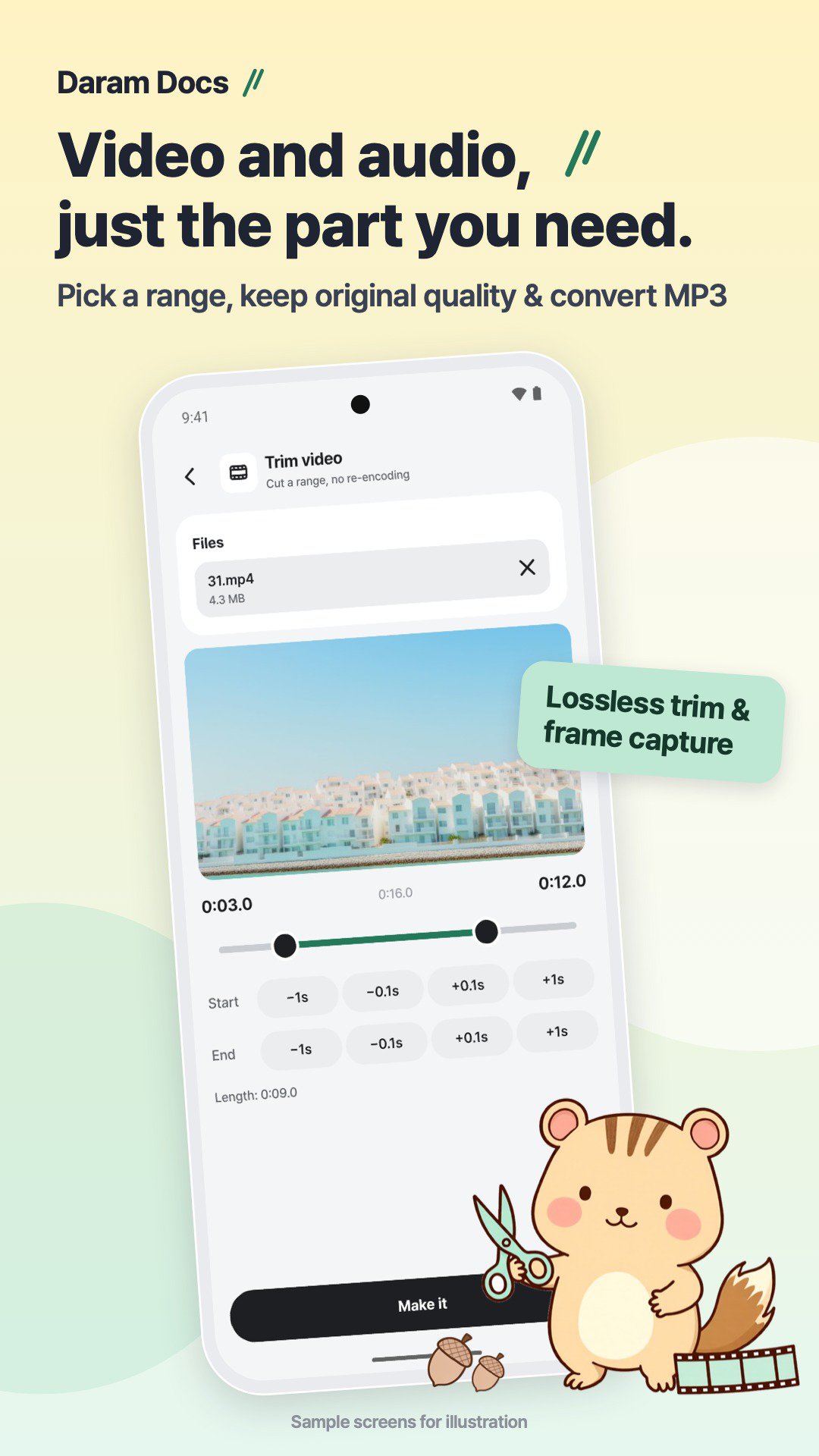
・Trim video (lossless keyframe cut) & Grab frames (single timestamp or 10 frames)
・Trim audio (M4A) & Convert audio (M4A, WAV, MP3 with bitrate selection)
・Make ZIP & Unzip with archive contents preview
・Library & 1-Tap Tool Chaining: Pass your output file directly into the next tool without re-picking
■ 100% On-Device Privacy
・Zero servers, zero uploads, no ads, no purchases, optional 4-digit + biometric App Lock
・Languages: 한국어, English, 日本語, 繁體中文
Ultima versione
Varies with deviceÈ necessario Android
Categoria
Gratuita Strumenti APPClassificazione dei contenuti
Everyone
Segnala
Segna come inappropriataLast updated on Nov 7, 2026
Questa versione include correzioni di bug minori e miglioramenti generali. Aggiorna alla versione più recente per un'esperienza ottimale.





APKPure - Un app store multi-piattaforma principalmente incentrato su Android, che fornisce un'ampia gamma di contenuti relativi alle app. Scopri l'app che desideri in modo più facile, veloce e sicuro, con download e installazioni rapidi ed efficienti.