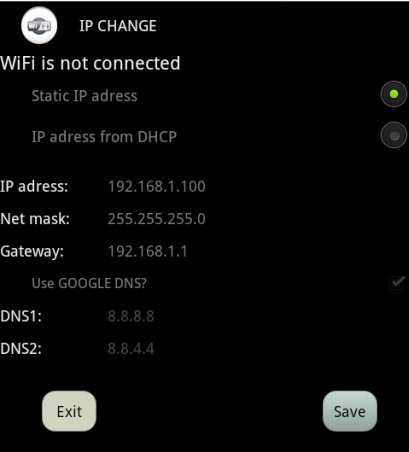
With IP CHANGE app you can setup the static IP-Address for your currently running WiFi connection or rollback the setting back to DHCP.
How to change IP-Address for static IP:
1. Connect to your existing Access point
2. Open IP CHANGE app and fill the text boxes (IP-Address, Net mask,Default gateway).
3. Press the SAVE button.
How to change the IP-Address from DHCP:
1. Connect to your existing Access point
2. Open IP CHANGE app and select an option IP-Adress from DHCP
3. Press the SAVE button.
Latest Version
1.1Uploaded by
Rodolfo Ramirez
Requires Android
Android 3.0+
Category
Free Personalization AppContent Rating
Everyone
Report
Flag as inappropriateLast updated on Jun 26, 2015
Oprava chyby zlyhania pri štarte.


APKPure - A multi-platform app store primarily focused on Android, providing extensive app-related content. Discover the app you want easier, faster, and safer, with quick and efficient downloads and installations.