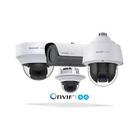
• 1600+ devices supported including NVRs and DVRs.
• Broad protocol support RTSP/ONVIF/MMSH and more.
• MPEG4/H265/H264/MJPEG codec support.
• Control PTZ (Pan/Tilt/Zoom), relay and other device functions.
• Camera grouping, auto sequence, mass actions.
• Export/Import using sdcard, email or Dropbox.
• App wide password protection, SSL/HTTPS and cloudless privacy.
• Scan camera capability for automatic driver selection.
• Home screen and lock screen widgets.
• Cross platform support for all your mobile devices.
Upgrade inside app or download Pro version to unlock:
• 2-way audio and background audio support for many devices.
• In-app motion detection.
• Record mode for 24/7 recording of all cameras.
• Embedded web server for remote control of app, Tasker integration, or use as a transcoder/proxy.
• Chromecast and Android Wear support.
Watch the live view from your network IP cameras comfortably on the big TV screen, on your phone or tablet. Playback video recordings and receive events from your cameras or NVR. The application works with most IP cameras, your WiFi cam or the entire home security cctv system, works very well with Hikvision and Dahua devices. Designed for home and professional use. The application is optimized for phones, tablets, TVs and TV boxes with Android system.
Set up an effective IP camera video monitoring system within minutes!
View live video from any IP camera remotely. IP camera models from different vendors are supported. Any camera that supports ONVIF and present in the local network will be automatically detected by IP Camera Monitor. If the camera is present beyond the local network then you can manually add such cameras in the application.
IP Camera Monitor is the best app for video surveillance. Watch a live video of any camera directly from your phone no matter where you are. You can also capture photos of the event.
IP Camera Monitor with Security Monitor Pro is a perfect combination when you need to control Security Monitor Pro cameras remotely on your Android device. Security Monitor Pro is a professional video surveillance software which turns your PC and IP cameras into a full video security system.
You need to install Security Monitor Pro on your Windows PC.
Watch the video tutorial to see how easy it is to connect to Security Monitor Pro and remotely access cameras on your Android mobile device.
Keep an eye on your home, office, parking area or anywhere you need security.
Key features:
• Auto detects ONVIF cameras within the local network: View a live video of all the ONVIF cameras present in your local area network. These are automatically detected by IP Camera Monitor.
• View IP cameras from anywhere: Add IP cameras present beyond local area network and see what's happening in your home, office or parking area.
• PTZ support for IP cameras: Adjust the orientation, rotation and tilt direction of your camera preview using Pan-Tilt-Zoom camera controls.
• Access to Security Monitor Pro cameras: Now access and control cameras added in Security Monitor Pro directly from your phone. You can remotely control actions such as monitoring, video recording, and capturing a photo. Access recorded media files and event logs directly from your device.
Note:
This mobile application is a guide. It is not a official app or part of an official app product. Download this guide for learning about Ip camera viwer
Latest Version
1.0Uploaded by
Nguyễn Lê Hoàng Huy
Requires Android
Android 5.0+
Category
Free Tools AppContent Rating
Teen
Report
Flag as inappropriateLast updated on Nov 4, 2022
Minor bug fixes and improvements. Install or update to the newest version to check it out!



APKPure - A multi-platform app store primarily focused on Android, providing extensive app-related content. Discover the app you want easier, faster, and safer, with quick and efficient downloads and installations.












