

inZoi: Life Sim HD is designed for players who want quick visual ideas and simple guidance while enjoying a life simulation. It serves as an unofficial companion for KRAFTON’s inZOI, giving you a straightforward place to view curated inspiration without digging through multiple sources. With a focus on looks, décor, and planning, it helps you stay organized and find styles that match your Zois. For easy access and mobile browsing, you can explore everything inside the inZoi: Life Sim HD APK in one tidy place.
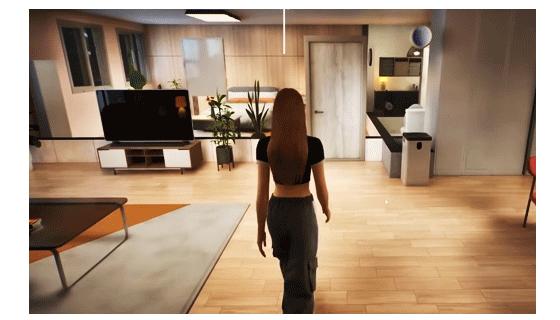
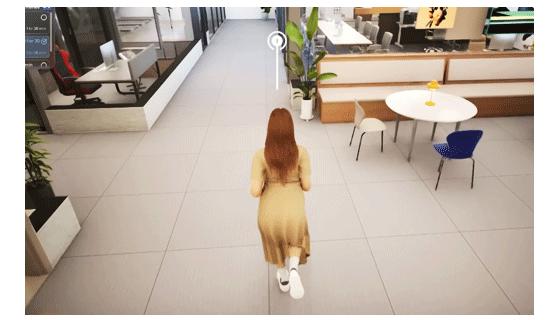
inZoi: Life Sim HD provides high-resolution wallpapers grouped by themes such as outfits, gifts, characters, and house ideas. You browse clean image galleries made for quick scanning on a phone. This makes it simple to pick a look that fits your current mood or build. As you move between categories, you keep your inspiration organized and ready to use.
Room and home design ideasThe app highlights creative room and home concepts for players who want aesthetic builds. You can review layouts, color directions, and visual pairings to support planning before you decorate. Each set is arranged for easy comparison, so you understand what feels cohesive. This helps you translate a concept into a practical build inside your life simulation.
Practical tips and tricksTips and tricks focus on common hurdles, offering straightforward pointers that make progression feel smoother. You find guidance that addresses everyday play situations, with concise notes that are easy to apply. These short explanations reduce guesswork and help you keep momentum. As a result, you spend more time creating and less time figuring things out.
Fan-made collections for Zois, builds, and storytellingCurated image sets spark ideas for character looks, build themes, and simple story prompts. You can use these collections to shape personalities, plan décor styles, and map small narratives for your Zois. Content is selected with mobile viewing in mind, so you stay focused on what inspires you. This keeps creative planning approachable and consistent.
Unofficial, curated companion for playersThis is a fan-made guide and inspiration app that is not affiliated with KRAFTON. inZoi: Life Sim HD does not provide gameplay or access to the original title. Instead, it delivers a tidy, curated browsing experience aimed at visual planning and simple guidance. The goal is to support players with ideas that feel useful during day-to-day play.
inZoi: Life Sim HD is not the inZOI game and does not let you play it on a phone. It is a companion with wallpapers, concepts, and tips intended to assist with creative decisions. The app does not sell or distribute any in-game downloadable content. If you are searching for builds, outfits, or décor themes, this companion helps you research ideas without causing confusion about gameplay access.
Content is fan-made and curated to fit common player interests such as outfits, characters, and house or build ideas. If you want new categories or find an image that needs credit or removal, use the in-app feedback or your store review to share details. Clear suggestions help prioritize updates that support the community. This keeps browsing relevant and aligned with what players look for most.
To begin, open the app and browse its curated sections at your own pace. For the best experience, check the inZoi: Life Sim HD latest version when exploring new categories and tips.
inZoi: Life Sim HD offers curated inspiration to help you plan looks, décor, and everyday play. If you prefer a simple mobile reference for visual ideas and short guidance, download inZoi: Life Sim HD APK and start browsing.
Latest Version
1.0.0Uploaded by
Renzø Labrin
Requires Android
Android 6.0+
Category
Free Personalization AppContent Rating
Everyone
Report
Flag as inappropriateLast updated on Dec 2, 2023
Minor bug fixes and improvements. Install or update to the newest version to check it out!




APKPure - A multi-platform app store primarily focused on Android, providing extensive app-related content. Discover the app you want easier, faster, and safer, with quick and efficient downloads and installations.