Scan Date:Apr 6, 2026
Show More

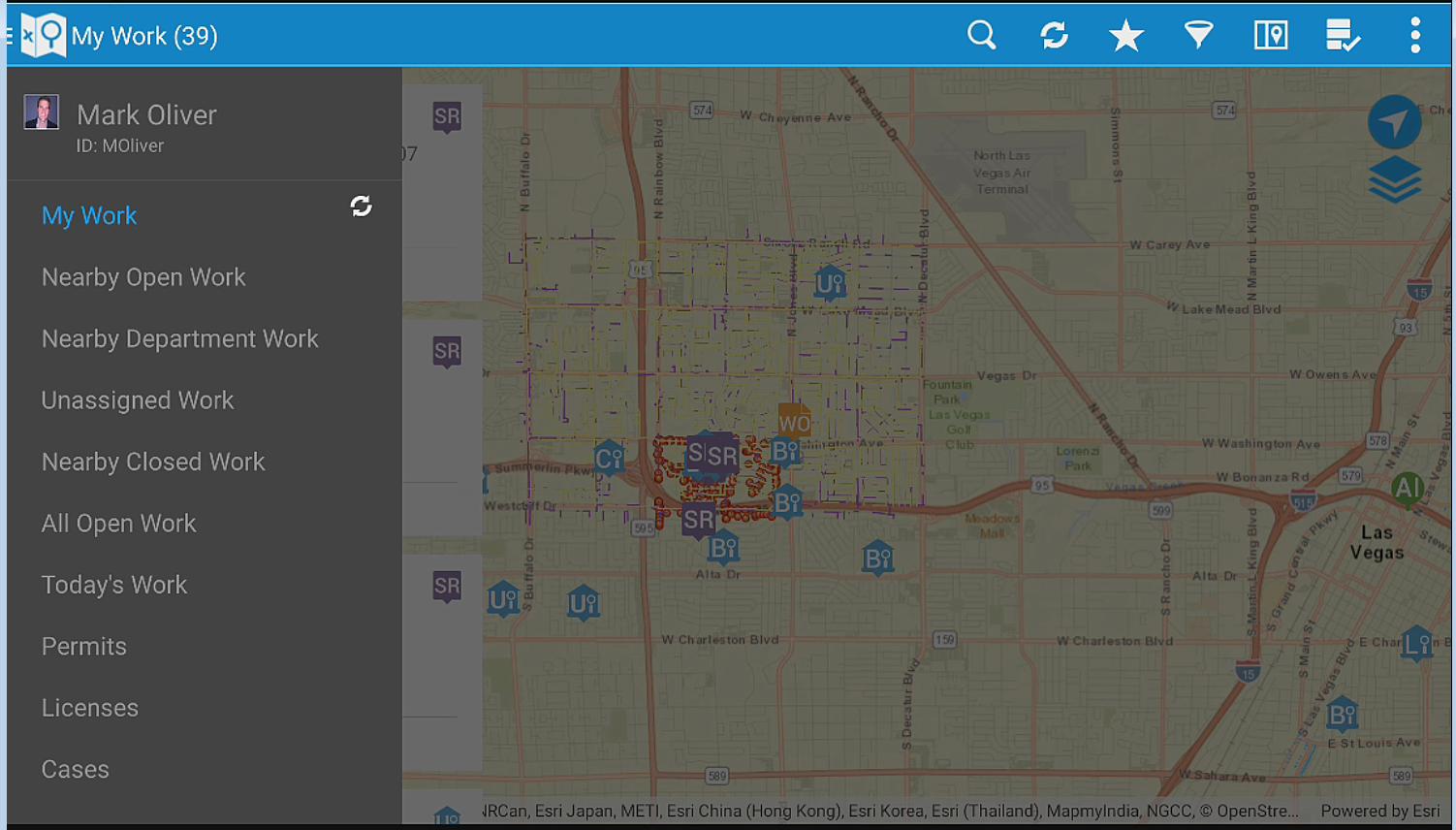
The Infor Field Inspector allows government inspectors and technicians to access their assigned work information from the field. Inspection results, project completion costs and status are updated immediately or synchronized at a later time if network connectivity is unavailable. Content can be modified through configuration. Designed to work with the Infor Operations and Regulations application, field staff can quickly and efficiently perform the following:
• Download, view, and edit their assigned permitting inspections, service requests, work orders and asset inspections
• Add comments and log entries
• Take and attach photos
• Issue inspection based code violations
• Add multiple types of usage costs to work orders and service requests
• Add observations and sample units to asset inspections
• View and modify agency specific detail information
• Print reports
• Create new service requests, CDR inspections, work orders, case records, and asset inspections
• Lookup assets and addresses from the map
• Access and edit asset specific details
• Work disconnected or connected
Note: By downloading this mobile application, you acknowledge to reading and agreeing to the corresponding end user license agreement.
Latest Version
2026.4.0Uploaded by
Destan Destan
Requires Android
Android 7.0+
Category
Free Productivity AppContent Rating
Everyone
Security Report
Report
Flag as inappropriateLast updated on Apr 6, 2026
We've made important improvements to enhance your experience with Infor Field Inspector:
- More reliable attachment syncing: Attachments now track their sync status correctly, preventing duplicate uploads whether files are uploaded manually or in the background.
For details on other minor fixes and improvements, please refer to the Infor portal at the following URL: https://customerportal.infor.com/csmcore?id=kb_article_view&sysparm_article=KB2039428




APKPure - A multi-platform app store primarily focused on Android, providing extensive app-related content. Discover the app you want easier, faster, and safer, with quick and efficient downloads and installations.