Package Name:com.androchat.app
SHA-256:d55785b51deb017faa240fda6bd5e49e04a4529cb09f333bf9076bcac04db5b7
Show More

AndroChat — Android IRC Client
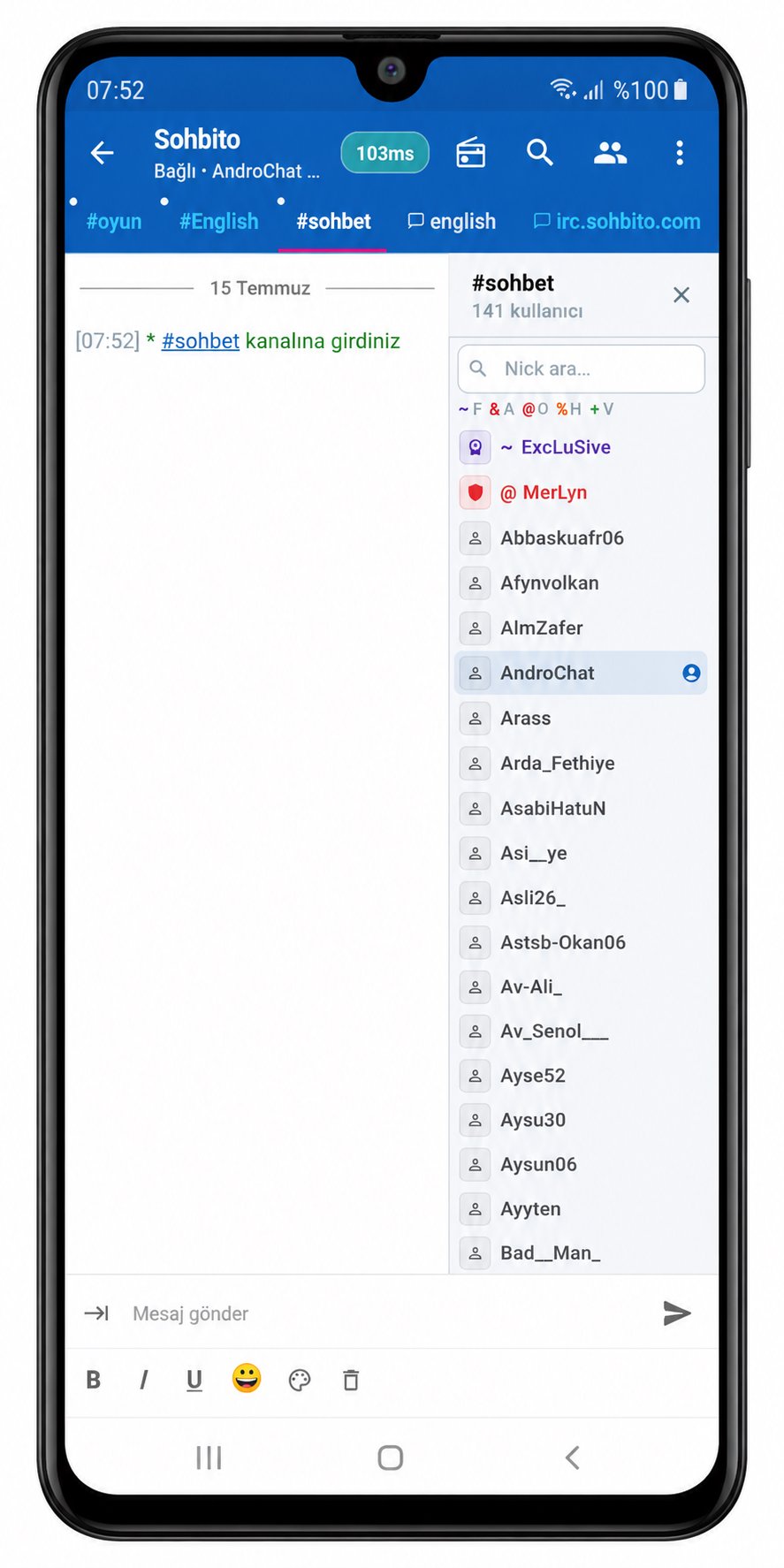
AndroChat is a modern, fast, and lightweight IRC client for Android. Connect to UnrealIRCd and standard IRC servers; chat in channels, send private messages, receive notifications, and maintain your connection in the background.
WHAT IS ANDROCHAT?
AndroChat is an IRC client designed for mobile use. Chat in groups in channels, send one-on-one private messages, and manage your connection in a way suitable for daily use.
WHY ANDROCHAT?
• Fast and lightweight interface
• Multiple server connections
• TLS/SSL secure connection (e.g., 6697)
• Incoming message notifications
• Persistent background connection (foreground service)
• Automatic reconnection
• Channel tabs and convenient chat interface
• Ignore/block list
• SASL authentication
• NickServ backup login
• mIRC-style colors and commands
• DCC file transfer
• Optional radio/stream listening
WHO IS IT FOR?
Designed for those who want to use IRC on Android, connecting to UnrealIRCd or classic IRC servers, and preferring a secure connection with TLS. Suitable for community channels, technical rooms, game servers, and private IRC networks.
KEY FEATURES
1) Channel chat, nickname list, commands, and private messaging (PM)
2) Secure connection — TLS/SSL (6697); plain port (6667) supported
3) Multiple servers — multiple IRC profiles
4) Notifications — background message and connection alerts
5) Automatic reconnection
6) SASL and NickServ authentication
7) mIRC colors and command habits
8) Send/receive DCC files
9) Optional radio/stream
HOW TO USE?
1. Open AndroChat
2. Add server address and port (usually 6697 for TLS)
3. Enter nickname and optional credentials
4. Connect, join channels (#channel) and start chatting
5. Optionally enable automatic channel, notification and reconnection settings
PRIVACY
AndroChat does not collect personal data on its developer server. Messages are forwarded to the IRC server you are connected to. There is no advertising SDK. Privacy policy / data deletion: our website or admin@sohbito.com
SUPPORT
Email: admin@sohbito.com
Website: www.sohbito.com
Latest Version
1.0.21Uploaded by
Muhammad Ayesha Budiarto
Requires Android
Android 7.0+
Category
Free Communication AppContent Rating
Everyone
Security Report
Check Now
Report
Flag as inappropriateLast updated on Nov 6, 2026
İlk açılışta dönen ekranın bazen takılıp açılmaması giderildi.
Sunucu listesi ve sohbet oturumu yüklenirken donma riski azaltıldı.
Ayar ve script ekranlarında yükleme hatası olursa Tekrar dene eklendi.
Uygulama başlangıcı, bildirim ve arka plan yüklemeleri daha dayanıklı hale getirildi.




APKPure - A multi-platform app store primarily focused on Android, providing extensive app-related content. Discover the app you want easier, faster, and safer, with quick and efficient downloads and installations.