- Convert images from gallery or camera into PDF file.
In PRO version you can select multiple images from gallery and produce one PDF file. It is Ad-free also.
PRO version is right here.
https://play.google.com/store/apps/details?id=com.pmobile.imgtopdfpro
Capture notes via camera and convert them PDF files immediately.
That means you can use your smartphone as scanner!
How To Use?
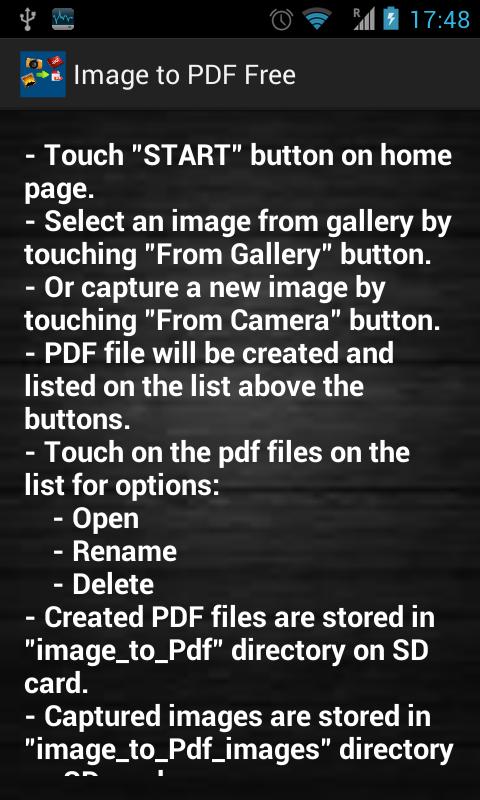
- Touch "START" button on home page.
- Select an image from gallery by touching "From Gallery" button.
- Or capture a new image by touching "From Camera" button.
- PDF file will be created and listed on the list above the buttons.
- Touch on the pdf files on the list for options:
- Open
- Rename
- Delete
- Created PDF files are stored in "image_to_Pdf" directory on SD card.
- Captured images are stored in "image_to_Pdf_images" directory on SD card.
- Select multiple images from your smartphone storage.
- Capture image from camera and convert immediately.
Latest Version
3.0Uploaded by
Nelson Galvis
Requires Android
Android 2.3.2+
Category
Free Business AppContent Rating
Everyone
Report
Flag as inappropriateLast updated on Aug 20, 2015
Minor bug fixes and improvements. Install or update to the newest version to check it out!




APKPure - A multi-platform app store primarily focused on Android, providing extensive app-related content. Discover the app you want easier, faster, and safer, with quick and efficient downloads and installations.