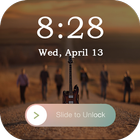
• iLock Screen : iPhone Wallpaper
Iphone lock screen style.
- Set Passcode to unlock screen, enable/ disable passcode,
- Enable/ disable Sound.
- Add cool designer frames for the center of your screen
- Comprehensive settings for personalization.
- Highly simulate the Phone 7, 7+ theme.
- Trendy & most popular lockscreen designs
• The Best locks screen app that allows you to customize the locks Screen wallpaper. Different wallpapers are made available to convert your device into best.
To set lock screen passcode simply in settings switch enable PIN control. On keypad lock screen set your new pin – thats all. Super easy!
How to Use:
1. Open the app settings, and tick the Enable Screen check box to enable it.
2. Click the Disable System Lock in case you use the system lock.
3. Click the Set Wallpaper to switch to different beautiful backgrounds.
4. Tick the Simple Passcode check box if Passcode mode is required.
Latest Version
1.0Uploaded by
Cayee Dìz
Requires Android
Android 4.0.3+
Category
Free Tools AppContent Rating
Everyone
Report
Flag as inappropriateLast updated on Apr 9, 2018
This release includes minor bug fixes and general improvements. Update to the latest version for the best experience.



APKPure - A multi-platform app store primarily focused on Android, providing extensive app-related content. Discover the app you want easier, faster, and safer, with quick and efficient downloads and installations.