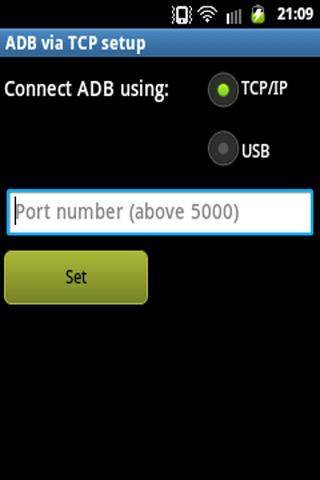
REQUIRES ROOT - Super Hack allows you to set your devices debug bridge to connect over TCP/IP (ADB over TCP) and also has a 'hosts' file editor.
To get ADB over TCP working, your phone needs to be connected to the same network as your PC running ADB via WiFi or some form of ethernet.
Windows command: "adb connect {Phone IP}:{Port}"
Example: "adb connect 192.168.10.24:5321"
To switch back to USB Debugging, use: "adb usb" while the device is connected to the PC via USB
Also ensure that USB Debugging is enabled in Menu->Settings->Applications->Development.
Note: The source code for Super Hack Root is now available on Github at the following address: https://github.com/Stuyvenstein/SuperHack
That's it. Enjoy!
Versi Terbaru
1.3Diunggah oleh
RuKi ToRi
Perlu Android versi
Android 2.3.4+
Kategori
Gratis Alat APLIKASIRating konten
Unrated · Warning – content has not yet been rated. Unrated apps may potentially contain content appropriate for mature audiences only.
Last updated on Jun 15, 2015
Fixed a bug that prevented certain devices from reading the /system/etc folder without su permission.
Tested on Android 2.3.3 and up to 4.2



APKPure - Toko aplikasi multi-platform yang terutama berfokus pada Android, menyediakan konten terkait aplikasi yang luas. Temukan aplikasi yang Anda inginkan dengan lebih mudah, cepat, dan aman, dengan unduhan dan pemasangan yang cepat dan efisien.




![[ROOT] RAM Cache Cleaner APK](https://image.winudf.com/v2/image/dGsuc3B5Zmx5LnJhbWNsZWFuZXJfaWNvbl8wXzJkMmFkZjkz/icon.png?w=102&fakeurl=1)




![Kingo SuperUser [ROOT] APK](https://image.winudf.com/v2/image/Y29tLmtpbmdvdXNlci5jb21fNXlrZDJvNjQ/icon.png?w=102&fakeurl=1)