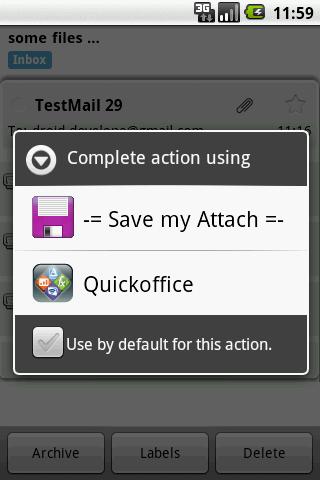
Save the GMail attachments to the SD-card. Tap on "Preview" button in the GMail and select "Save ..." from the list.
Works with Email app also (use "Open").
Please note: this app doesn't have a launch icon! You could open it only from your GMail app by tapping a "Preview" button
Versi Terbaru
ver-1.04Diunggah oleh
Noa Budimlic
Perlu Android versi
Android 1.5+
Kategori
Gratis Alat APLIKASIRating konten
Unrated · Warning – content has not yet been rated. Unrated apps may potentially contain content appropriate for mature audiences only.
Last updated on Sep 6, 2015
1. Resolve file names for GMail up to 2.4
2. Rescan media content after saving image/audio/video files so it becomes available in native gallery apps.


APKPure - Toko aplikasi multi-platform yang terutama berfokus pada Android, menyediakan konten terkait aplikasi yang luas. Temukan aplikasi yang Anda inginkan dengan lebih mudah, cepat, dan aman, dengan unduhan dan pemasangan yang cepat dan efisien.