This app is designed for site hunters and cellphone geeks. While it MAY be of interest to others, it is unlikely that "normal" people will find it particularly useful. Also note that the data maintained in this app is restricted for ONTARIO and QUEBEC (in CANADA) only. This also makes it of little interest to those who live outside of those two provinces. I may at a future time expand my database to include other provinces. Please also note that this app deals ONLY with LTE signals and does not provide any useful information about HSPA or GSM service.
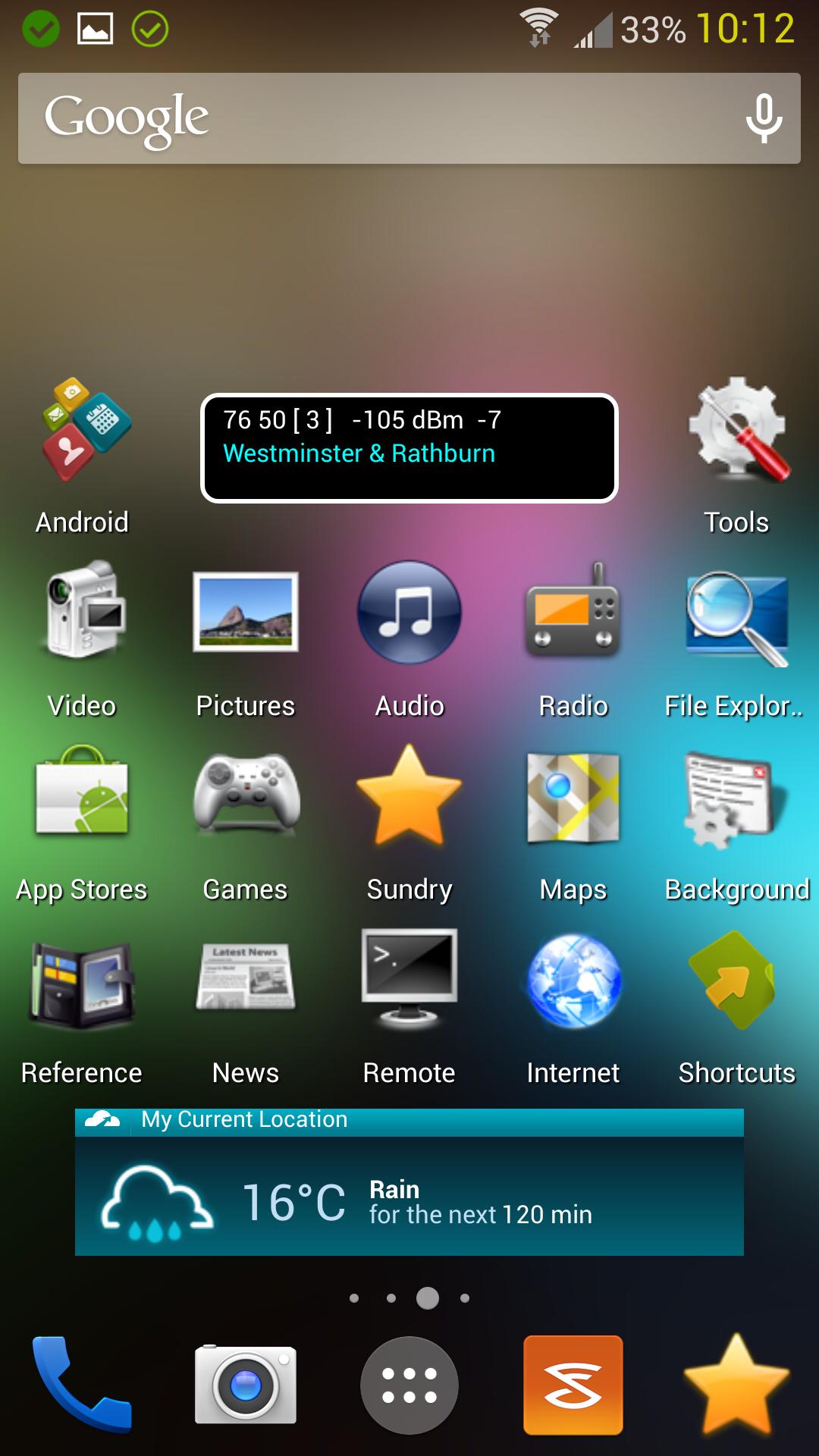
LTE Widget is essentially a constant home screen display of LTE signal information. It always shows the ID of the current site, its signal strength (known as RSRP), and its signal quality (known as RSRQ). However, it goes a step beyond just showing you this basic information; it also shows you the PHYSICAL LOCATION of the site, which is usually given as the closest major street intersection. You can even have it SPEAK site information to you as you drive around.
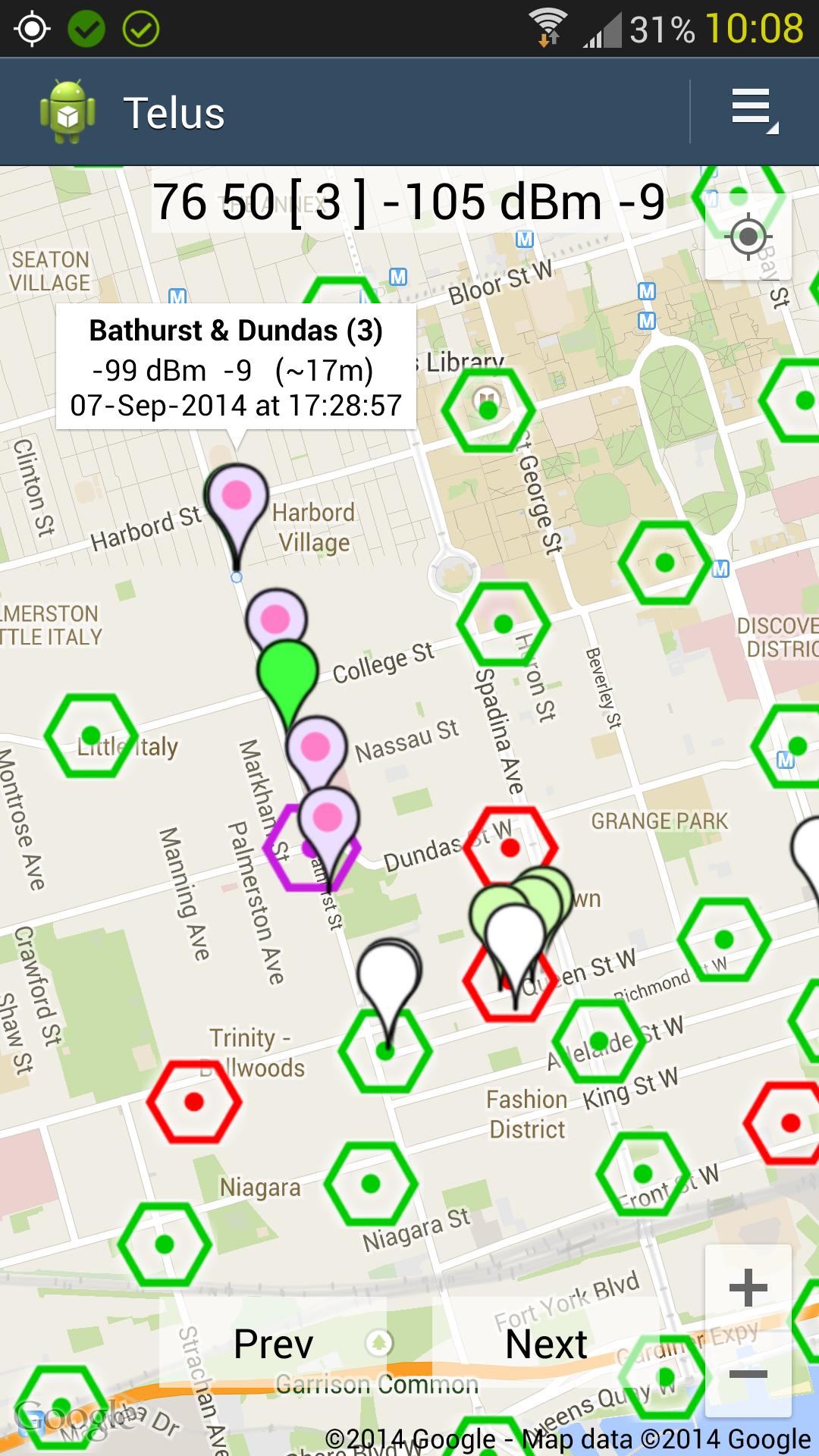
You can also display a Google Map, overlaid with the locations of all of the sites on a particularly Canadian LTE provider (which is presently Rogers, Bell Mobility, and Telus). This map will show your current location, as well as which site you are presently latched onto (if the ID of that site is known).
Site locations are updated regularly from data published by Industry Canada through their TAFL database. However, this database does not provide site IDs, which means these must be found manually. In this respect LTE Widget comes loaded with features to help find site IDs in the background without any babysitting from the user. It has a TRACKING feature that records each ID change that occurs as you move around. Each of these recordings notes the ID, GPS coordinates, signal strength, and signal quality. Once tracking is ended, you get a complete KML file that can be displayed on Google Earth, or right inside LTE Widget.
However, I don't expect you to process the information you gather in these files. Instead you can define email settings that automatically email (to the developer) a copy of these KML files immediately after they are created. You ARE NOT REQUIRED to provide email information, and may choose to send the KML files manually. It's then my task to process the information these KML files contain, and update the site ID data accordingly. This new data finds its way back to your device by means of an update feature.
Versi Terbaru
1.5.70Diunggah oleh
Mohmed Nagy
Perlu Android versi
Android 4.1+
Kategori
Gratis Alat APLIKASIRating konten
Everyone
Last updated on Sep 28, 2018
Full Change Log: http://goo.gl/h13xkF
Support Group: https://goo.gl/52sgFT
Build 70:
- Necessary to conform to the newest Google Play rules that come into effect on Nov 1st.
Build 67-69:
Unreleased test builds.
Build 66:
It seems that Nougat now provides LTE data WHILE THE SCREEN IS OFF. I've added a new option to turn off the screen warning. See full change log for details.
Build 65:
- Bug Fixes
Build 64:
- Fixed crash in Map.




APKPure - Toko aplikasi multi-platform yang terutama berfokus pada Android, menyediakan konten terkait aplikasi yang luas. Temukan aplikasi yang Anda inginkan dengan lebih mudah, cepat, dan aman, dengan unduhan dan pemasangan yang cepat dan efisien.