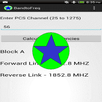
The droidRFTool for CDMA allows the user to see what the current CDMA RF levels are for their device. The RF levels monitored are voice (CDMA), data (EVDO), and the signal to noise ratio. The levels are color coded to give a visual cue to the quality of the signal (green, yellow green, yellow, red). Where Red is the worst. The tool also displays the users current location and the location and ID of the tower currently being utilized by the device. By pressing the save file button, the user can create a record of RF values by location. The record requires the user to be moving and records data approximately every 50 feet moved. The data is stored in a coma-delimited file (*.CSV) and a Google Maps file (*.KML) on the device in the user storage area. The file can then be transferred or emailed and can be used in a spreadsheet program for evaluation. Each new file is named base on the date and time stamp at the time the recording was started.
CDMA RF Tool GPS KML
Versi Terbaru
1.1.2Diunggah oleh
Phạm Ngân
Perlu Android versi
Android 2.1+
Kategori
Gratis Alat APLIKASIRating konten
Unrated · Warning – content has not yet been rated. Unrated apps may potentially contain content appropriate for mature audiences only.
Last updated on Aug 16, 2015
Added the ability to save a KML file. Made KML file save more efficient, cut down on the repeated cell towers (unless the device is jumping back and forth between towers).
Ver 1.1.2 adds radio type (CDMA, etc...) and network type (EVDO, EVDO_A, 1xRTT, etc...) to the main view and allows user to turn GPS on by pressing the button stating that "Your GPS is not on". Also adds info to the KML file telling which cell tower the device is attached to when the data point is taken.



APKPure - Toko aplikasi multi-platform yang terutama berfokus pada Android, menyediakan konten terkait aplikasi yang luas. Temukan aplikasi yang Anda inginkan dengan lebih mudah, cepat, dan aman, dengan unduhan dan pemasangan yang cepat dan efisien.