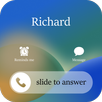
Discover the iCallScreen app, iOS Phone Dialer/Dialpad. Enjoy iPhone iOS 16 & iOS 17 & iOS 18 features on your Android device.
Are you feeling bored with old-style caller screens? We will bring you
iCallScreen - iOS Phone Dialer | iOS 16 & iOS 17 & iOS 18 style. You get the same full-screen caller id as in iPhone 14, 15, 16, 16 Pro, or OS17 or OS18 devices. This caller screen app has a contacts list, recent list, favorite list, and dialer T9 search keypad.
Cool iCallScreen Features
You can personalize your Phone Dialer / Dialpad easily! Slide to answer the call, change Call Screen backgrounds, change ringtones, block - unblock users, and sim card preference. Enjoy the full screen caller ID, dialer and dialpad iPhone style on your Android device.
Also, in the CallScreen app, users can add calls, see contacts, add a reminder for the call, send a message when you are not able to take calls, merge calls with the conference call, swap call, and split from the conference. App also has a caller name announcer option that announces the caller's name or number. So, that's why it makes you feel like you are an iOS 17 or iOS 18 users.
😍 Fantastic features of iCallScreen - iOS Phone Dialer: iOS 17 & iOS 18 & iOS 16 😍
🎨 Set iPhone Wallpapers or Backgrounds 🎨
Customize and decorate wallpaper of background for the call screen.
🎵 Set iOS17, iOS18 Ringtones 🎵
It allows you to set iOS 17, iOS 18 & iOS 16 ringtones. Customize your dialer screen and ringtones per contact.
🚫 Call block 🚫
It allows you to block unwanted or spam calls.
☎ Phone Dialer ☎
There are many features in the dialer app:
Search or manage a smooth contacts book.
See recent calls history.
Add and remove contacts in favorites.
The advanced dialer T9 keypad allows users to search and see the contact detail.
🔧 Customization Settings 🔧
There are many settings like changing wallpapers and ringtones, blocker, swap accepts, and decline buttons for incoming ↘ and outgoing ↗ call screen.
🏆 Callscreen 🏆
Enjoy all the fantastic features that the iOS 15 call screen provides. Jump on a conference call or customize your phone dialer screen. It's up to you.
💖 Slide to answer button 💖
Everyone wants the "slide to answer button." The iCallScreen app gives you a feel like an actual iPhone slide to answer button on iOS 15.
✌ Dual-SIM support ✌
The app supports a dual sim card. So a user can manage SIM settings and choose a sim card before a call or set a default sim.
🔉 Caller name announcer 🔉
There's no need to look at your phone or dial pad. It can announce the name or the number of your caller.
🎭 Fake Call 🎭
Schedule a fake call with a custom contact name, mobile number, and ringtone.
💥 Flash on Call 💥
Blink a flashlight while the incoming call rings and adjust flash preference as per your preference.
🌓 Dark Mode 🌓
The dark mode option is available to optimize battery life. Customize the dialpad with your preferred color.
🎈 Lightweight 🎈
The app size is only 7 to 8 MB. Enjoy a custom dial pad on any device!
📞 Call back screen 📞
After hanging up, the call, call back screens comes for you to recall, send a message, block, or make a note of calls.
👫 Manage Conference 👫
You can merge two or more calls, manage the conference, and split the calls if needed.
FAQs of iCallScreen - iOS Phone Dialer / Dialpad
+ The app stopped working. What can I do?
clear data from app setting of iCall Dialer Contacts & Calls / Dialpad and allow it to work in the background.
Start using amazing iCallScreen and discover iOS Phone Dialer / Dialpad today!
Latest Version
1.1.4Uploaded by
Kantapoom Sattochart
Requires Android
Android 8.0+
Category
Free Tools AppContent Rating
Everyone
Report
Flag as inappropriateLast updated on Dec 15, 2024
+ Fix minor bugs
+ Improve the app performance



APKPure - A multi-platform app store primarily focused on Android, providing extensive app-related content. Discover the app you want easier, faster, and safer, with quick and efficient downloads and installations.