

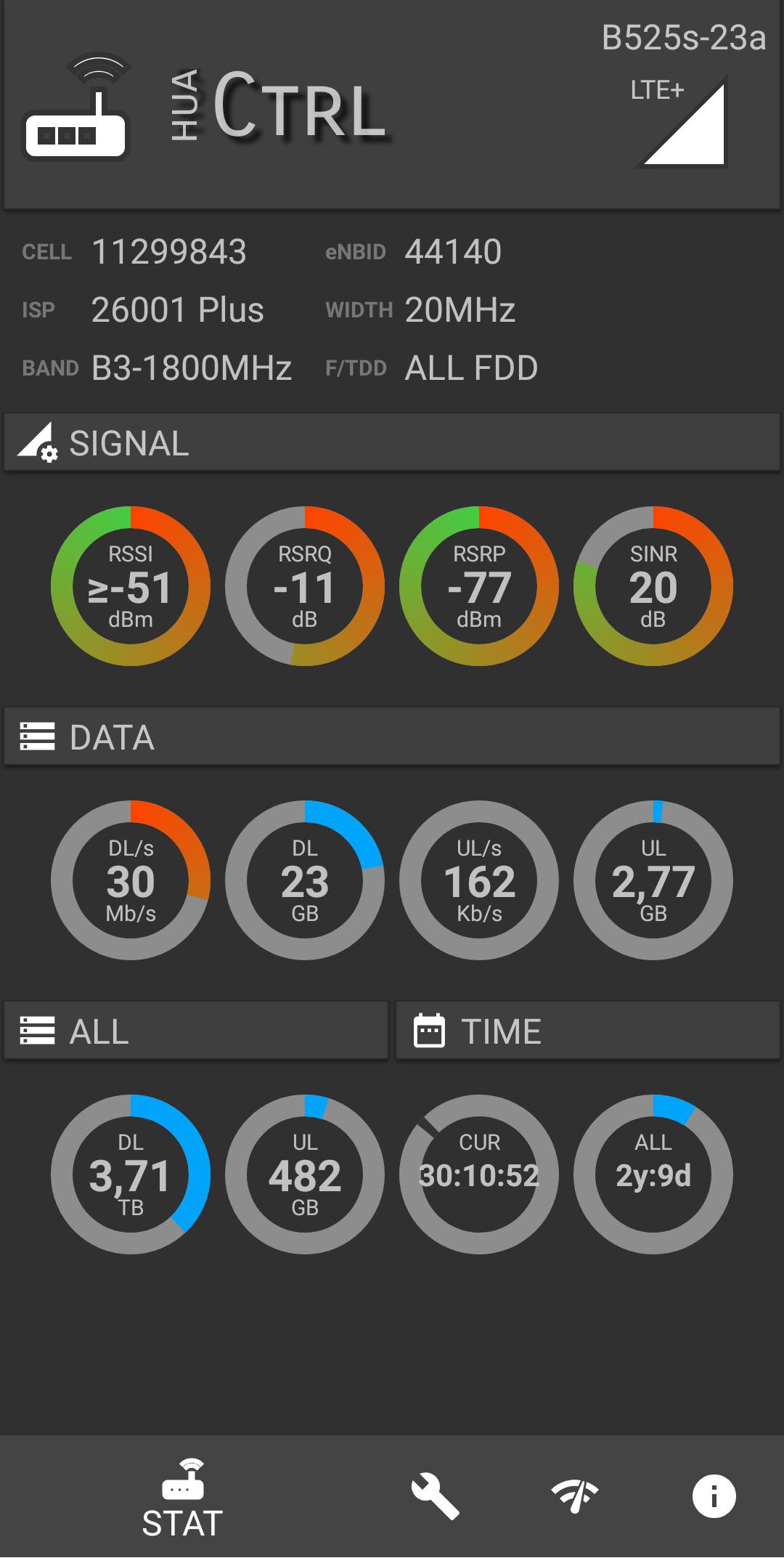
huaCtrl helps users who want a quick view of how a Huawei HiLink LTE router is performing. It gathers essential status information in one place, so you do not need to switch between different screens. Because it reads device data, admin access is required during setup. If you manage home internet or a fixed wireless connection, this approach supports routine checks and troubleshooting. Users who prefer manual installation can use the huaCtrl APK on supported Android devices. This keeps everyday monitoring simple.
Router status at a glance
huaCtrl reads signal and connection data from supported routers and displays them in a clear layout. You can view key values to understand link quality and current connection state while you work or stream. This helps identify changes that might affect stability.
Built in speed test
After reviewing status, you can run the built in speed test to measure download and upload performance using your current connection. Results appear inside the app for quick comparison during troubleshooting or when checking time of day variations.
Compatibility and access requirements
Before connecting, confirm your admin credentials and the huaCtrl latest version to avoid setup issues.
huaCtrl focuses on essential router monitoring and basic connection testing for Huawei HiLink LTE devices. Check compatibility and admin access, then download huaCtrl to begin setup on your Android device.
Latest Version
1.0.34Uploaded by
Jhow Jhones
Requires Android
Android 5.0+
Category
Free Tools AppContent Rating
Everyone
Report
Flag as inappropriateLast updated on Oct 28, 2022
Fixed:
- Guages floating point value fix
- Speedtest color fix
- Many stability bugs
- User password presentation
- Router token broke detection (reconnection)
Added:
- Tablet guages (large mode)


APKPure - A multi-platform app store primarily focused on Android, providing extensive app-related content. Discover the app you want easier, faster, and safer, with quick and efficient downloads and installations.