


How to Download PixelLab - Text on pictures Old Versions on Mobile

2026-02-03
PixelLab - Text on pictures: Easy text, 3D effects, stickers, and drawing. Customize fonts, colors, and backgrounds. Follow this article to download PixelLab - Text on pictures old versions on your device.
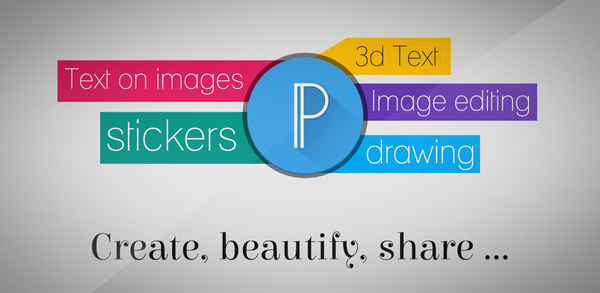
What is PixelLab - Text on pictures about?
PixelLab - Text on Pictures is a versatile photo editing app designed to make adding stylish text, 3D text, shapes, stickers, and drawings to your images a breeze. With its user-friendly interface, you can focus on creating stunning graphics without any distractions. The app offers a wide range of customization options, including over 60 unique text effects, more than 100 hand-picked fonts, and the ability to import your own images. Whether you're looking to create a cool poster, enhance your social media posts, or design memes, PixelLab provides the tools you need to bring your creative vision to life.
Key features of PixelLab include the ability to add and customize multiple text objects, create eye-catching 3D texts, and apply various text effects like shadow, stroke, and reflection. You can also change the background, import your own images, and draw custom shapes that can be resized and rotated. Additionally, the app allows you to save your projects for future use, remove backgrounds, edit image perspective, and export your creations in any format or resolution. With its comprehensive set of tools and intuitive design, PixelLab is the perfect companion for anyone looking to add a creative touch to their photos.
System Requirements of PixelLab - Text on pictures
The latest version of PixelLab - Text on pictures is 2.1.9, updated on Jan 19, 2026. The Android system requirement of the latest version of PixelLab - Text on pictures is Android 6.0+. If your mobile phone doesn't meet the minimum requirement, you might consider downloading the old version of PixelLab - Text on pictures for better performance.

PixelLab is a mobile photo editor that focuses on adding text, 3D titles, stickers, and drawings to images.
How to download PixelLab - Text on pictures old versions on Android?
Occasionally, apps remove certain features in updates. Downloading an older version can allow users to experience content that is no longer available in current releases. If you need to download the old versions of PixelLab - Text on pictures, you can follow the steps below to install any older versions you need directly on your phone.
Step 1: Visit APKPure and search for PixelLab - Text on pictures.
Step 2: Enter the PixelLab - Text on pictures detail page. Scroll down to the "Old Versions of PixelLab - Text on pictures" section.
Step 3: Click on the "All Versions" button to access all the old versions of PixelLab - Text on pictures.
Step 4: Click on the Download button of any old version of PixelLab - Text on pictures you need in the list.
Step 5: Once the download is completed, you can start installing PixelLab - Text on pictures history version on your phone.
Which Old Versions of PixelLab - Text on pictures Can You Choose?
The newest version of PixelLab - Text on pictures is 2.1.9, updated on Jan 19, 2026, with a package size of 29.1 MB, fixing a few issues.
APKPure offers access to multiple old versions of PixelLab - Text on pictures. Below is a selection of these for a quick peek. You can also click here to see all available historical versions.
| version name | file size | update time |
|---|---|---|
| 2.1.9 | 29.1 MB | Jan 19, 2026 |
| 2.1.8 | 29.1 MB | Jan 3, 2026 |
| 2.1.6 | 29.1 MB | Dec 29, 2025 |
| 2.1.5 | 29.1 MB | Dec 18, 2025 |
| 2.1.4 | 27.1 MB | Apr 24, 2025 |
To stay up-to-date with the latest trends in PixelLab - Text on pictures, keep reading our featured articles on similar topics!
- How to Download Chai: Chat AI Platform Old Versions for Mobile
- How to Download Lemon8 - Lifestyle Community Old Versions on Mobile
- How to Download TikTok - Videos, Shop & LIVE Old Versions for Android
 NEWS
NEWS REVIEWS
 HOWTO
HOWTO TOPICS
 PUBG M
 Roblox Codes









