


How to Download NetShare - no-root-tethering APK Latest Version for Android 2026
2026-05-09
Read through this guide to learn how to download and install NetShare - no-root-tethering apk latest version UI/link-272 on mobile in 2026. Follow the step-by-step tutorial to download NetShare - no-root-tethering apk for Android.
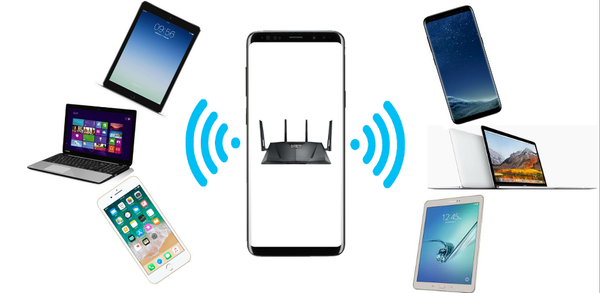
About NetShare - no-root-tethering
The NetShare app allows users to create a WiFi hotspot and share their cellular data or extend an existing WiFi connection without the need for tethering plans or fees. It supports Android 6 and above, even when hotspot/tethering features are blocked, by bypassing the block completely undetectably. Users can also create portable hotspots while connected to other networks as repeaters using faster C libraries than Bluetooth.
NetShare is a connectivity app that shares your phone’s internet or extends Wi‑Fi without root.
How to download NetShare - no-root-tethering for Android
To install NetShare - no-root-tethering on your mobile device:
Step 1: Go to APKPure.com and search for NetShare - no-root-tethering.
Step 2: Tap the Download APK button to start the download.
Step 3: Once the download is completed, start installing NetShare - no-root-tethering on your phone.
Step 4: After the installation is finished, launch it and enjoy playing NetShare - no-root-tethering on your mobile device right away.
What's New in the Latest Version UI/link-272
Last updated on May 9, 2026
Fixed bugs
Added Korean translation
Added PIP support
Updated UI and fixed bugs
Discover and download even more of the hottest mobile games on APKPure! Our editors have carefully selected the following three articles as introductions to some of the most popular apps available:
- How to Download JanaTube: Video & Music Player APK Latest Version 5.6.90.102 for Android 2026
- How to Download War Robots Multiplayer Battles APK Latest Version 12.1.0 for Android 2026
- How to Download Instabridge: WiFi Hotspot Map APK Latest Version for Android 2026
 NEWS
NEWS REVIEWS
 HOWTO
HOWTO









