


How to Download KUBOOM 3D: FPS Shooting Games APK Latest Version 7.60 for Android 2026
2026-04-07
Read through this guide to learn how to download and install KUBOOM 3D: FPS Shooting Games apk latest version 7.60 on mobile in 2026. Follow the step-by-step tutorial to download KUBOOM 3D: FPS Shooting Games apk for Android.
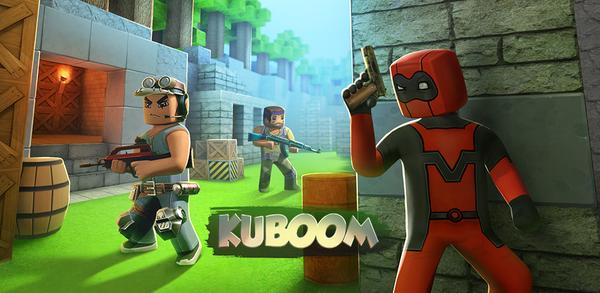
About KUBOOM 3D: FPS Shooting Games
KUBOOM is a multiplayer first-person shooter game with various shooting modes, unique locations, weapon customization and upgrades. Players can compete with millions of players worldwide in six combat modes while customizing controls to suit their preferences.
KUBOOM is a multiplayer first person shooter that offers varied combat modes and deep weapon customization.
How to download KUBOOM 3D: FPS Shooting Games on Android
Step 1: Search for KUBOOM 3D: FPS Shooting Games on APKPure.com.
Step 2: Press the Download APK button to begin downloading it onto your mobile device.
Step 3: Once the download is completed, begin installing the app.
Step 4: After the installation is finished, open it and start playing KUBOOM 3D: FPS Shooting Games.
What's New in the Latest Version 7.60
Last updated on Apr 7, 2026
🐛 Improvements and bug fixes.
Discover and download even more popular mobile games on APKPure! Our editors have carefully selected the following three articles for you to read:
- How to Download ArtLoop: Learn how to draw APK Latest Version 1.8.99 for Android 2026
- How to Download Niki Live - Live Stream&Party APK Latest Version 3.3.0 for Android 2026
- How to Download avoVPN - fast & secure VPN app APK Latest Version 2.8.u for Android 2026
 NEWS
NEWS REVIEWS
 HOWTO
HOWTO TOPICS
 PUBG M
 Roblox Codes








