


How to Download HyperDroid - PC Launcher APK Latest Version 2.4 for Android 2026

2026-04-15
Read through this guide to learn how to download and install HyperDroid - PC Launcher apk latest version 2.4 on mobile in 2026. Follow the step-by-step tutorial to download HyperDroid - PC Launcher apk for Android.

What is HyperDroid - PC Launcher about?
HyperDroid - PC Launcher is a revolutionary app that transforms your Android device into a full-fledged desktop experience, inspired by the Windows 11 style. With the HyperDroid - PC Launcher apk, users can enjoy the perfect blend of desktop functionality and mobile convenience, making their devices more powerful and efficient. This launcher captures the essence of a personal computer, offering a seamless and intuitive interface that mirrors the look and feel of a PC. Whether you're managing files, multitasking, or customizing your home screen, HyperDroid - PC Launcher ensures a smooth and stylish experience. The app is designed to enhance productivity while maintaining the flexibility of a mobile device, making it ideal for users who want the best of both worlds. Download the HyperDroid - PC Launcher apk today and elevate your Android experience to a whole new level, bringing the desktop right to your fingertips.
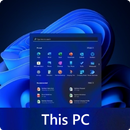
HyperDroid is a PC launcher app that brings a desktop style workspace to Android.
How to download HyperDroid - PC Launcher on Android?
Step 1: Go to APKPure.com and search for HyperDroid - PC Launcher.
Step 2: Click on the Download APK button to start downloading it on your mobile.
Step 3: Once the download is completed, start installing HyperDroid - PC Launcher on your phone.
Step 4: After the installation is finished, launch it and enjoy playing HyperDroid - PC Launcher on your mobile device right away.
Note: If you are installing apps from APKPure for the first time, please go to Settings > Security to enable "Unknown Sources" before installing.
What's New in the Latest Version 2.4
Last updated on Feb 23, 2026
Major UI Improvements,
The app can now be set as the default launcher via:
Settings > System > Default Launcher > Enable as Launcher.
Improved UI
For more insights on HyperDroid - PC Launcher, check out our curated selection of its related articles!
- How to Download Prime Video APK Latest Version for Android 2026
- How to Download Instagram APK Latest Version for Android 2026
- How to Download ポコロンダンジョンズ APK Latest Version 12.3.2 for Android 2026
 NEWS
NEWS REVIEWS
 HOWTO
HOWTO TOPICS
 PUBG M
 Roblox Codes









