


How to Download Google Lens Old Versions for Android

2025-11-19
Google Lens lets you search, translate text, identify plants, explore places, find similar items, and scan codes using your camera. This article will show you how to download Google Lens old versions in any region.
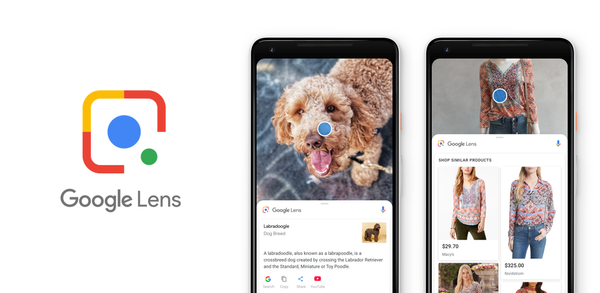
What is Google Lens about?
Google Lens is a powerful visual search tool that leverages your device's camera or photos to help you explore and interact with the world around you. Integrated with Google's advanced AI, it allows you to seamlessly translate text, identify objects, and discover information in real-time. Whether you're scanning a business card to save it to your contacts, translating foreign text, or copying complex codes for convenience, Google Lens simplifies everyday tasks. It also excels at identifying plants, animals, and landmarks, making it a handy companion for nature enthusiasts and travelers alike. Additionally, it offers insights into places around you, such as restaurant reviews, hours of operation, and historical facts.
Another standout feature of Google Lens is its ability to help you find similar items to the ones you see. Whether it's an outfit, a piece of furniture, or home decor, Lens can track down comparable products online. It even assists in dining decisions by highlighting popular dishes on menus based on Google Maps reviews. For quick access to information, it can scan QR codes and barcodes effortlessly. While some features may have limited availability by region or language, Google Lens is a versatile tool that combines convenience, efficiency, and discovery into one intuitive app. For more details, visit g.co/help/lens.
System Requirements of Google Lens
The latest version of Google Lens is 1.18.250731009, updated on Aug 6, 2025. The Android system requirement of the latest version of Google Lens is Android 6.0+. If your mobile phone doesn't meet the minimum requirement, you might consider downloading the old version of Google Lens for better performance.

Google Lens is a visual search app that lets you search what you see and act on images.
How to download Google Lens old versions on Android?
As mobile operating systems evolve, newer game versions may no longer be compatible with older Android OS versions. Using an older app version can allow continued use on devices that can't be updated. If you need to download the old versions of Google Lens, you can follow the steps below to install any older versions you need directly on your phone.
Step 1: Visit APKPure and search for Google Lens.
Step 2: Enter the Google Lens detail page. Scroll down to the "Old Versions of Google Lens" section.
Step 3: Click on the "All Versions" button to access all the old versions of Google Lens.
Step 4: Click on the Download button of any old version of Google Lens you need in the list.
Step 5: Once the download is completed, you can start installing Google Lens history version on your phone.
Which Old Versions of Google Lens Can You Choose?
The newest version of Google Lens is 1.18.250731009, updated on Aug 6, 2025, with a package size of 6.3 MB, fixing a few issues.
APKPure offers access to multiple old versions of Google Lens. Below is a selection of these for a quick peek. You can also click here to see all available historical versions.
| version name | file size | update time |
|---|---|---|
| 1.18.250731009 | 6.3 MB | Aug 6, 2025 |
| 1.17.240515009 | 35.3 MB | Aug 6, 2024 |
| 1.17.240515006 | 3.2 MB | Aug 9, 2024 |
| 1.16.231127009 | 34.9 MB | Dec 7, 2023 |
| 1.16.231127006 | 3.1 MB | Dec 8, 2023 |
To stay up-to-date with the latest trends in Google Lens, keep reading our featured articles on similar topics!
- How to Download TikTok Lite - Save Data & Fast Old Versions for Android
- How to Download Google Docs Old Versions on Android
- How to Download Elite Auto Brazil - Wheelie Old Versions on Android
 NEWS
NEWS REVIEWS
 HOWTO
HOWTO









