How to Download Anomalous Coffee Machine APK Latest Version 4.2.5 for Android 2025

2025-11-24
Read through this guide to learn how to download and install Anomalous Coffee Machine apk latest version 4.2.5 on mobile in 2025. Follow the step-by-step tutorial to download Anomalous Coffee Machine apk for Android.

What Is Anomalous Coffee Machine?
In Anomalous Coffee Machine, players stand across from a quiet, mysterious girl and an anomalous coffee machine that can dispense almost any liquid the player can imagine, from normal coffee to impossible substances inspired by SCP‑294. The core mechanic revolves around typing words or short phrases, choosing who drinks (you or the girl), and then observing surreal, philosophical, or sometimes unsettling outcomes that gradually reveal fragments of the story.
There is no traditional win state, scoreboard, or fixed ending; instead, the game encourages experimentation, curiosity, and replayability as different inputs trigger different scenes, hallucinations, and narrative branches. With its visual novel presentation, eerie atmosphere, and branching responses, Anomalous Coffee Machine has gained a cult following among players who enjoy psychological, story‑driven experiences.

Anomalous Coffee Machine is a visual novel and simulation game that turns every choice into branching outcomes.
How to download Anomalous Coffee Machine apk for free
1. Official channels
- Developer / official ecosystem:
a) HoruBrain promotes Anomalous Coffee Machine on its official website and links directly to supported platforms, including Steam and Android builds.
b) To download the Android apk from an official‑style page, users typically visit the promoted download link (for example, the developer’s landing page or a dedicated Anomalous Coffee Machine apk site), tap the apk download button, and save the file to their device.
- Steam (PC baseline, reference for authenticity):
a) Anomalous Coffee Machine is also available on Steam for Windows, which confirms HoruBrain as the legitimate publisher and provides official descriptions, screenshots, and update notes.
b) While Steam does not serve Android apks, users can compare content, version notes, and branding with any Android download page to help verify authenticity.
Currently, there is no widely indexed global Google Play Store listing for the mobile version under the game’s name, so many Android users rely on the developer’s linked apk downloads and reputable Android game sites.
2. Brand app stores (Samsung, Xiaomi)
Because Anomalous Coffee Machine is primarily distributed as a direct apk and through independent stores, availability in brand‑specific app stores is region‑dependent and sometimes absent.
- Samsung (Galaxy devices):
a) On a Samsung phone, open Galaxy Store and search “Anomalous Coffee Machine”.
b) If an official listing appears showing HoruBrain as the publisher and game details matching the known description, tap “Install” to download like a regular app; if not, download the Anomalous Coffee Machine apk from a trusted site (such as a reputable game apk portal) and install it manually.
- Xiaomi (GetApps):
a) On Xiaomi devices, open the GetApps store and search for “Anomalous Coffee Machine”.
b) If no result appears, or the publisher does not match HoruBrain or the known branding, avoid unknown clones and instead rely on the official link or a trusted apk provider, then follow the manual installation steps described later.
3. Trusted third‑party download channels
APKPure is a well‑known third‑party Android repository often used to distribute indie titles and region‑restricted apps, and it can be recommended as a primary mirror when it carries the correct HoruBrain build of Anomalous Coffee Machine.
Step‑by‑step: how to download Anomalous Coffee Machine apk via APKPure:
- Open a mobile browser and go to the APKPure website, then use the search bar to look up “Anomalous Coffee Machine”.
- Open the game’s detail page and check that the name, screenshots, and description match HoruBrain’s game, and that the package information aligns with known apk metadata (version around 1.3.00 and large data size).
- Tap the “Download APK” button and confirm the download in the browser prompt; wait for the file to finish downloading.
- Once downloaded, tap the notification or open the file through a file manager to start the installation (see the installation section below).
APK Version Information
- Latest Version: v4.2.5
- Update Time: October 21, 2025
- File Size: ~450 MB (varies by device)
- System Requirements: Android 6.0+, 2GB RAM minimum, ~1GB free storage space
What's New in the Latest Version 4.2.5
Last updated on Oct 21, 2025
Minor bug fixes and improvements. Install or update to the newest version to check it out!
How to download for iOS and Windows devices
Anomalous Coffee Machine is officially released for Windows on Steam and focuses on PC and Android for full experiences.
- Windows (official Steam build):
a) Open Steam on Windows, search for “Anomalous Coffee Machine”, and open the official HoruBrain store page.
b) Click “Add to Library” or “Buy” (depending on pricing and edition), then download and install the game via the Steam client.
- iOS (iPhone / iPad):
a) At present, Anomalous Coffee Machine is not broadly indexed as a native iOS App Store title; iOS does not support apk files, so “Anomalous Coffee Machine apk” cannot be installed directly on iPhone or iPad.
b) iOS users who wish to experience the game should normally use a PC with Steam or a cloud/remote‑play solution rather than sideloading.
How to Install the APK File
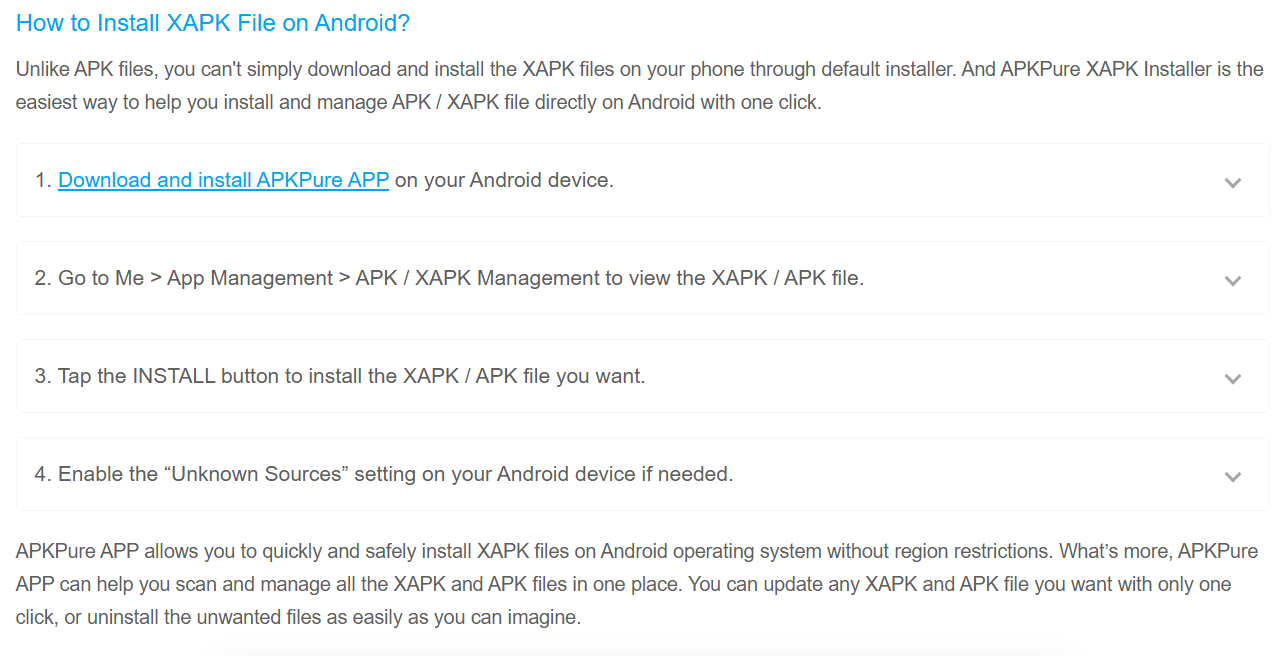
- Download the APK from APKPure or the official site.
- Enable Allow Installation from Unknown Sources in Settings > Security.
- Locate the APK in your downloads folder and tap it.
- Select Install and wait for the process to complete.
- Tap Open to start the game.
FAQs
Q1: What to do if the download fails?
A: Verify your internet connection and download from another trusted source like APKPure. Clear your browser cache and retry.
Q2: What to do if the installation fails?
A: Ensure that Unknown Sources permissions are enabled, and confirm sufficient free storage space. Re-download in case of file corruption.
Q3: How to update the APK?
A: Download the latest APK from the original source and install it over the current version. On Google Play, enable automatic updates.
Q4: How to download historical versions?
A: On APKPure, scroll down the app page to find Previous Versions. Select and download the desired version.
- How to Download Boo: Dating. Friends. Chat. APK Latest Version 1.13.126 for Android 2026
- How to Download Highrise: Dress Up Avatar Chat APK Latest Version 4.27.9 for Android 2026
- How to Download talabat: Food, grocery & more APK Latest Version 13.57.0 for Android 2026
 NEWS
NEWS REVIEWS
 HOWTO
HOWTO