How to Download AIDE- IDE for Android Java C++ APK Latest Version 3.2.210316 for Android 2024
2024-05-17
Read through this guide to learn how to download and install AIDE- IDE for Android Java C++ apk latest version 3.2.210316 on mobile in 2024. Follow the step-by-step tutorial to download AIDE- IDE for Android Java C++ apk for Android.
About AIDE- IDE for Android Java C++
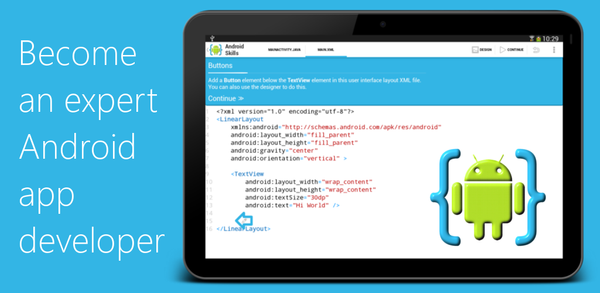
AIDE is an integrated development environment (IDE) for Android devices that allows users to develop real Android apps. The IDE offers interactive coding lessons, step-by-step instructions and features like code completion, error checking, refactoring and smart navigation. AIDE supports building Java/XML apps with the Android SDK as well as C/C++ NDK applications and pure Java console programs. It can also open Eclipse projects or default folder structure-based Studio projects on Dropbox while supporting Git integration for professional developers.

AIDE is a development app that lets you create real Android apps directly on your device.
How to download AIDE- IDE for Android Java C++ on Android
To install AIDE- IDE for Android Java C++ on your mobile device:
Step 1: Search for AIDE- IDE for Android Java C++ on APKPure.com.
Step 2: Click on the Download APK button to start downloading it on your mobile.
Step 3: Once the download is completed, open the APK file and start the installation.
Step 4: Once the installation is completed, launch the game and start playing AIDE- IDE for Android Java C++ on your mobile device immediately.
What's New in the Latest Version 3.2.210316
Last updated on Mar 16, 2021
New: Support for Api level 30
Older changes
New: Support for Chromebooks
If you're looking for more popular mobile games to download, APKPure has you covered. Our editors have carefully selected the following three articles for you to check out:
- How to Download Lensa: photo editor & AI art APK Latest Version 6.3.1+860 for Android 2026
- How to Download Bonetale APK Latest Version 1.7.1.1 for Android 2026
- How to Download Win7 Simu APK Latest Version 4.4.0 for Android 2026
 NEWS
NEWS REVIEWS
 HOWTO
HOWTO