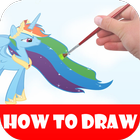
use this app to learn step-by-step drawing instructions below to learn how to draw Rainbow Dash from My Little Pony: Friendship Is Magic.
for example
Step 1: Start drawing Rainbow Dash with a circle on the top right part of the paper. It doesn’t need to be perfect. It’s just a basic shape for Rainbow Dash’s head.
Step 2: Inside the circle draw two intersecting lines, one horizontal and one vertical. The vertical line should be close to the right side of the circle, and the horizontal line should be close to the bottom. Draw the lines so they bend to the shape of the sphere. These are construction lines that will help you place Rainbow Dash's facial features later on.
Latest Version
1.0.0Requires Android
2.3.3 and up
Category
Free Art & Design AppContent Rating
All ages
Report
Flag as inappropriateLast updated on Feb 19, 2017
Minor bug fixes and improvements. Install or update to the newest version to check it out!




APKPure - A multi-platform app store primarily focused on Android, providing extensive app-related content. Discover the app you want easier, faster, and safer, with quick and efficient downloads and installations.