Drawing is one of our alternative activities when the mind is under stress or heavy. Not only as a media refreshing, drawing is also a hobby or hobby and is also used as a business field that has a bright prospect for some people.
Of course we know, until now the art of drawing has undergone many changes and transformations. Moreover, with the rapid advancement of science and technology, drawing can not only be done arbitrarily or just mere doodles, but some of us have been able to use the latest techniques, the most sophisticated and so unique in drawing.
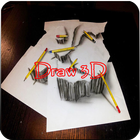
This time, I will share with those of you who have hobbies or just want to try how to enjoy drawing. In this drawing technique, I use the latest technique used by most of the world's artists or painters, namely the 3-dimensional drawing technique, better known as 3D drawing techniques.
3D drawing techniques have been widely recognized by the world of art, even using this 3D technique, so many objects that should only be able to be seen from two sides, now with 3D techniques make the objects we draw become more alive and more nuanced art. In drawing with 3D techniques, there are several ways, namely:
1. using the shading technique in such a way that 2-dimensional media seems to be a 3D media to turn on the main object we are drawing.
2. using paper fold techniques. Using this paper fold technique, the paper media which was originally 2D was folded in such a way as to make the object being drawn able to "penetrate" the fold dimension so that when shooting with a camera for example, 3D objects would appear by the eye.
3. using paper overlapping techniques or image media. By using this technique, an object can be seen 3D by sight because a pile of media with different and diverse slopes will cause perspective effects from different objects that break the eyesight angle. Thus it will appear as if the main object we are drawing comes alive.
4. use cutting techniques on paper media. By cutting off some of the main objects and then being crushed on other paper media with different positions, it is as if the object will penetrate different perspectives, giving rise to a 3D effect.
Latest Version
1.4Uploaded by
صلاح البحر
Requires Android
Android 4.1+
Category
Free Lifestyle AppContent Rating
Everyone
Report
Flag as inappropriateLast updated on Aug 22, 2020
Fix Bugs




APKPure - A multi-platform app store primarily focused on Android, providing extensive app-related content. Discover the app you want easier, faster, and safer, with quick and efficient downloads and installations.