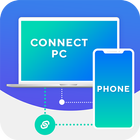
If you are using a Wi-Fi network, please make sure your mobile device and PC are on the same network. If you are outside your local Wi-Fi network, use mobile data for file transfer. The speed of file transfer between your mobile device and PC is dependent on your internet speed.
How to Connect your phone to PC Application provides a solution for the android users who want to connect their mobile with PC without connecting a data cable or wire. WiFi File Sharing App provides the connectivity of mobile devices with PC through Wi-Fi. Users can copy, paste, and delete files from the phone by connecting it with Computer.
Transfer Companion is a free application that works alongside a PC Application Droid Transfer enabling you to backup messages, music, photos and other files on your Android Phone. Communication between your PC and your phone is completely local either over a Wi-Fi or a USB connection, and no information is stored, uploaded to the Cloud, or transmitted to a third party.
Casting is projecting the item from your phone's screen on a bigger external monitor. It allows you to share images and videos with your friends and family without using mobile data. You don't need to connect to the internet if you want to cast something from a Your Mobile to a Smart TV.2. If you can't establish a connection between the two devices.try connecting both of them to the same Wi-Fi network.
Tap the Cast toggle on your phone\'s Notification shade. Turn on both Wi-Fi and Bluetooth for a more stable connection If you want to cast items from Gallery or File Manager. you can use built-in casting features in these apps.
Select an external device from the list of the available devices to start casting.
Game Turbo allows you to cast games to an external monitor. Use the shortcut in the Game Turbo toolbox to turn this feature on. Display presentations on an external monitor while using your phone to switch between slides and view notes. Go to File Manager & gt; Docs to try this feature.
How to Connect your phone to PC
1.) Your Phone (Device) and computer connect in the same WiFi network.
2.) Start WiFi File Transfer by press "Start Service" button;
3.) Copy and paste the URL noticed into your FTP Client or Windows file explorer
4.) Then you scan and manager files in your Phone on your computer.
Thanks & Enjoy... .....................!!!!
Latest Version
1.0Uploaded by
Amanallah Naceur
Requires Android
Android 4.2+
Category
Free Books & Reference AppContent Rating
Everyone
Report
Flag as inappropriateLast updated on Feb 22, 2020
Minor bug fixes and improvements. Install or update to the newest version to check it out!



APKPure - A multi-platform app store primarily focused on Android, providing extensive app-related content. Discover the app you want easier, faster, and safer, with quick and efficient downloads and installations.











