


Package Name:com.howtochangerouteradminpassword
SHA-256:3d5228d46fe49122d50450fd438134663e5d4339bc2fa4f13194f843f0f065c6
Show More

Our mobile app explains how to change the administrator password of your router. When you buy a new modem, when you forget your wifi password and reset it, you may need to change your router password for the security of your internet connection.
What's in the app content
Information (Default ip, username and passwords)
Tp link router (The default ip address for logging in to your router's administrative interface is 192.168.1.1)
Netgear (The default username to login to the router management page is "admin", the password section is "leave blank".
Huawei zain router (Sometimes it may be different for other models of the brand as login information. So you can look at the label on the bottom of the device)
For your security, it will be correct to change your router password periodically. For this, three to six months are suitable.
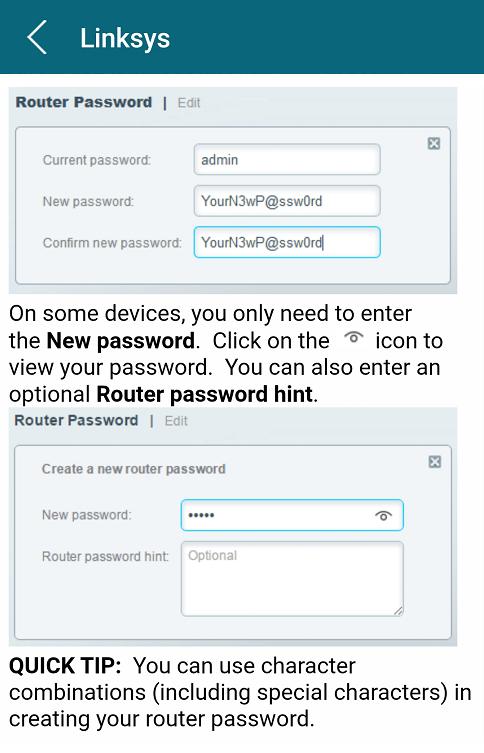
Router brands showing how the administrator password is changed in our mobile app: BT Hub, Verizon, Tp link, draytek, linksys, motorola, huawei, d link, arris, belkin, en genius, trendnet, thomson, netgear
Latest Version
3.46.0.7Uploaded by
Ramos Apaza Deisy Rocio
Requires Android
Android 7.0+
Category
Free Tools AppContent Rating
Everyone
Security Report
Check Now
Report
Flag as inappropriateLast updated on Sep 18, 2025
Minor bug fixes and improvements. Install or update to the newest version to check it out!



APKPure - A multi-platform app store primarily focused on Android, providing extensive app-related content. Discover the app you want easier, faster, and safer, with quick and efficient downloads and installations.









