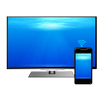
Cast your phone screen to Hisense TV . Share your screen on any Stick, Hisense Box and Hisense TV, such as Roku TV and Vizio TV. No wires, easy setup, live in HD quality.
The Hisense Screen Mirroring App is the best Screen Mirror - fast, easy and user friendly. Share your photos, videos, games, websites, apps, presentations and documents with your friends, family and co-workers. It has big advantages compared to the Hisense built-in Screen Mirroring based in Miracast.
- Super easy and unified setup on all Android devices. No need to change Android settings or Wi-Fi options.
- Your Android device and your Hisense must be connected to the same wifi. Please do not use VPN, Proxy, VLANS and Subnets.
- Performance is best when you have good wifi network conditions.
- Sound is not yet support, but we are working on it. As a workaround please connect your Android device to a bluetooth speaker or try our app VIDEO & TV CAST to cast and share videos with sound.
Multiple Devices Supported
- Roku Stick & Roku TV
- Most smart TVs, LG Smart TV, Samsung Smart TV, Sony Bravia, TCL Smart TV, Xiaomi MI TV, Hisense Smart TV, Insignia Smart TV, etc.
- Google Chromecast
- Amazon Fire Stick & Fire TV
- AnyCast
- Other DLNA Receivers
- Other wireless and Miracast adapters
Disclaimer: This app is not affiliated with any of the trademarks mentioned here.
Latest Version
1Uploaded by
Joseph Ramos
Requires Android
Android 4.1+
Category
Free Tools AppContent Rating
Everyone
Report
Flag as inappropriateLast updated on Jul 17, 2021
Minor bug fixes and improvements. Install or update to the newest version to check it out!




APKPure - A multi-platform app store primarily focused on Android, providing extensive app-related content. Discover the app you want easier, faster, and safer, with quick and efficient downloads and installations.