Hindi Keyboard is a best typing interface with dynamic key layout.
This Hindi Keyboard can be used for all kinds of applications where Hindi (हिंदी) text is required.
Hindi Keyboard app is used for messaging, searching, social media and other applications through android devices.
Installation Process:
1. Download and install this application on your Android Device.
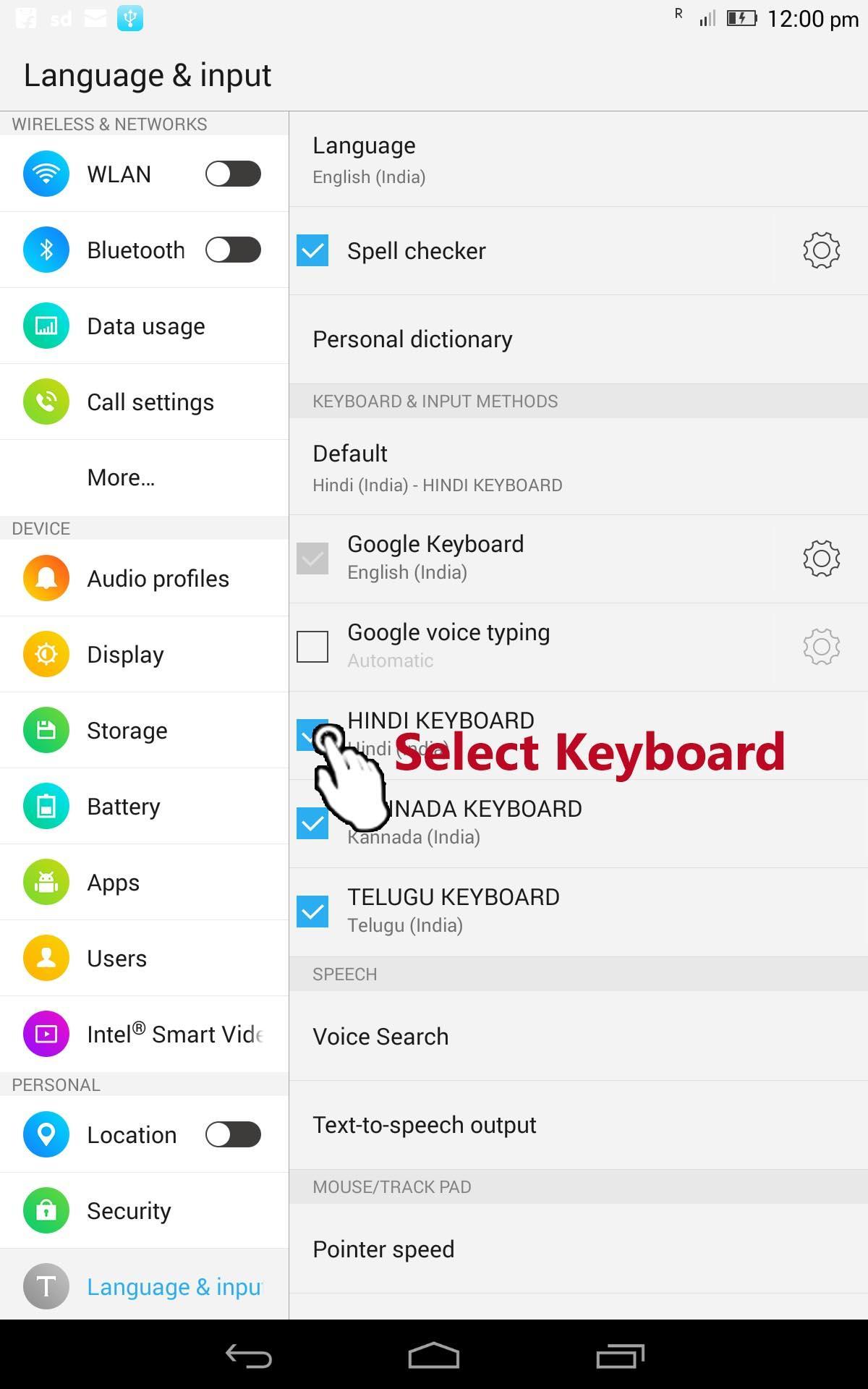
2. Go to "Settings"->"Language & input -> Current Keyboard -> Choose Keyboards & Enable Hindi Keyboard -> Check the "Hindi Keyboard".
3. Now open any messaging app and make focus on to text editor area.
4. Select "Hindi Keyboard" from "Choose Input Method" available on the Notification bar.
5. Now you can enjoy the features of Hindi Keyboard App.
Hindi Keyboard has special features:
1. Settings: sound, vibrate, and options to select English keyboard layout.
2. Help: Info on typing process with examples.
3. Swipe left and right to switch among English, Hindi, and Numeric keyboards.
4. Best color themes.
5. Best fit to various screen sizes.
6. Clear TEXT View.
7. Best for Typing Hindi Text.
There is feature of switching option among English, Hindi (हिंदी), and Numeric-Symbolic layouts.
This is an Ad-supported and cost-free application.
Note1: If some one has problem with this application, please clear data/cache in "settings".
Note2: Device must have Hindi font to view text clearly, otherwise text appears like boxes.
Latest Version
1.9Uploaded by
Truong Ha
Requires Android
Android 2.3.2+
Category
Free Tools AppContent Rating
Everyone
Report
Flag as inappropriateLast updated on Jan 10, 2017
UI Interfaces are changed for the best and ease of use.
Settings wizard created with best theme selection interface.
Cool color visibility
Best size adjustment based on device screen.
Few bugs corrected to avoid app crashes.
Removed frequent Ad display activity.





APKPure - A multi-platform app store primarily focused on Android, providing extensive app-related content. Discover the app you want easier, faster, and safer, with quick and efficient downloads and installations.