This app is free to use and can be accessed without any limits. You can have it installed on all devices you own. This one is as good as a real friend at anywhere at any time. Don't miss. Let's download. Enjoy the multimedia and well-designed content for everyone.
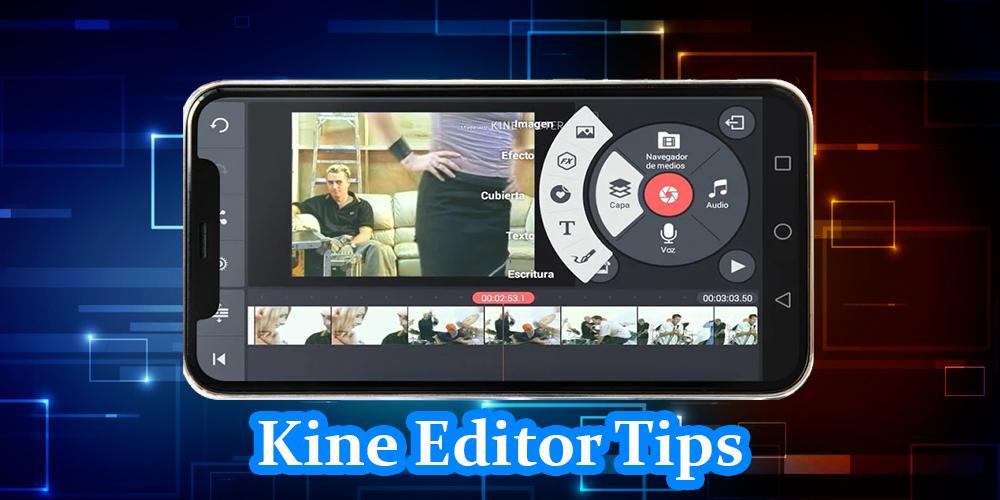
There are advanced, easy-to-use tools, like multiple layers of video, mixed modes, voiceover, chroma keys, speed control, transitions, translations, special effects, and much more! Discover the secrets of why many like KineMaster for YouTube, TikTok and Instagram and why journalists, educators, marketers and vloggers use it professionally! Download KineMaster to create, edit and share awesome videos made by yourself!
You will need few clips of yours in order to edit videos in master Pro Video Editor. It's true that you can use images as a clip but trust me. The real experience of video editing can be found only through video clips only. Don't worry if you don't have any videos of your own at the moment. Below are two easy ways you can own or create a clip. get an easy tutorial using kine only in this application
1. How to edit video in Kinemaster
2. How to crop a video in Kinemaster
3. How to use the transition function in Kinemaster
4. How to make a voiceover in Kinemaster
5. How to add text to a Kinemaster video
6. How to add music to your videos in Kinemaster
7. How to download Kinemaster Pro in Kinemaster
* Introduction of Kine Master
* Introduction to the appearance of kine master
* Introduction of features and settings
* Basic knowledge
* Trimming tutorial
* Cropping tutorial
=> Some features
= Several layers of videos, images, stickers, special effects, text, and handwriting
= Combining modes to create surprising and beautiful effects
= Various aspect ratios supported
= Export 4K 2160p videos at 30FPS
= Share on YouTube, Facebook, Dropbox and more
= And more features, options and settings.
= Add voiceover, background music, and sound effects
= Editing tool to cut, separate and cut your videos
= Animated key frame tool for adding movement to video layers
= The Asset Store provides music, video clips, fonts, stickers, transitions and more to enhance your videos, always updated every week
= Speed control for time intervals and slow motion effects
= Automatic volume, ducking, and automatic volume envelopes for immersive audio
Disclaimer : This is a third party app . This application guide is not an official product or a part of any product from the official publisher.There are not any content or images related or belonged to the developer. Please be informed that this one is not a sub-version or an alternative version software. For any queries, please contact us via email.
Latest Version
1.3Uploaded by
Peua Sigh
Requires Android
Android 4.2+
Category
Free Personalization AppContent Rating
Everyone
Report
Flag as inappropriateLast updated on Jun 22, 2020
Minor bug fixes and improvements. Install or update to the newest version to check it out!



APKPure - A multi-platform app store primarily focused on Android, providing extensive app-related content. Discover the app you want easier, faster, and safer, with quick and efficient downloads and installations.