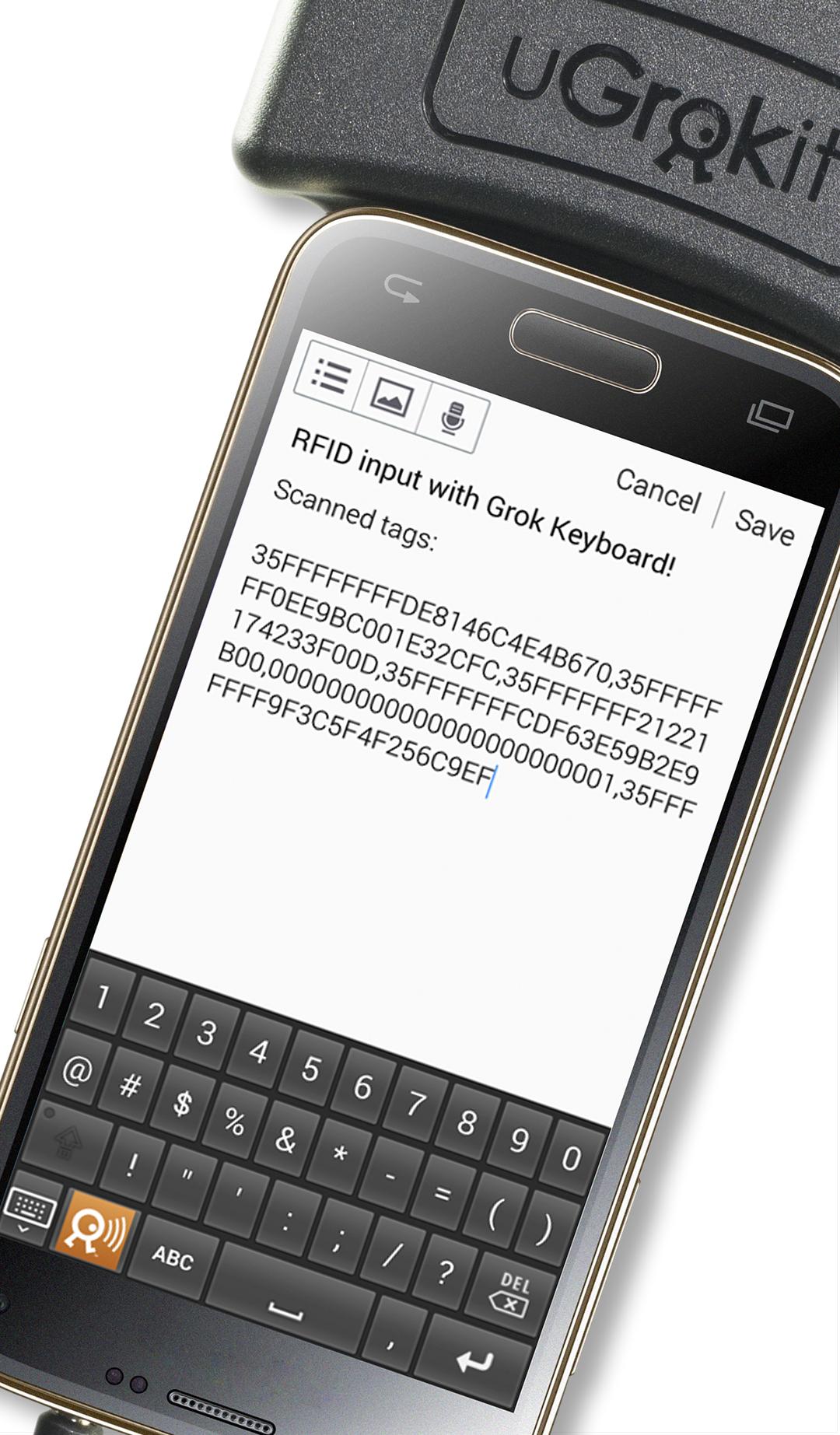
With this Android soft-keyboard and an attached U Grok It RFID reader, it is possible to scan and enter RFID tag EPCs with arbitrary apps. A special key on this keyboard starts the RFID scanning system, and scanned EPCs are automatically entered into the current text field of a target app. To the app, the EPC appears as if it were entered manually. Modifications of the target app are not required for this purpose.
The Grok Keyboard provides an alternative input method for Android devices. Manual input is still supported.
Once installed and enabled the input method is available for all apps on your handset or tablet. The keyboard can be used with conventional apps, with browsers and with remote desktop applications (RDP).
The keyboard currently supports English.
It's a real time-saver: The app provides convenient RFID-scanning capabilities, typing efforts are reduced, and app-switching or copy/paste operations are eliminated completely.
Latest Version
1.42Uploaded by
Ahmed Ali
Requires Android
Android 4.0+
Category
Free Tools AppContent Rating
Everyone
Report
Flag as inappropriateLast updated on Dec 4, 2018
Minor bug fixes



APKPure - A multi-platform app store primarily focused on Android, providing extensive app-related content. Discover the app you want easier, faster, and safer, with quick and efficient downloads and installations.