IMPORTANT MEDICAL DISCLAIMER
GlucoGlance is NOT a medical device. It does not diagnose, treat, cure, or prevent any medical condition. This software is a secondary mathematical utility for data visualization only. Never use GlucoGlance to make medical decisions or hardware adjustments. Always consult your physician and rely on your primary FDA-approved medical hardware for glucose monitoring and insulin delivery.
The Ultimate Telemetry Mirror
GlucoGlance is a high-fidelity data visualization suite designed for advanced metabolic monitoring. It acts as a passive telemetry mirror, retrieving records from your existing CGM and insulin delivery systems to provide a centralized, glanceable dashboard across all your Android and Wear OS surfaces.
Supported Apps & Hardware Integrations
GlucoGlance passively processes health telemetry from a wide range of ecosystem sources:
CGMs (via Notifications): Dexcom G6, Dexcom G7, Eversense 365
Insulin Pumps: Omnipod 5
Companion Apps: Gluroo, GlucoDataHandler, Juggluco, xDrip+
Follow Services: Dexcom Follow, LibreLinkUp
Glucometers: mySugr
Bridging the Eversense 365 Data Gap
Eversense 365 currently lacks a native follow service to mirror telemetry across multiple secondary devices. GlucoGlance solves this:
Direct Local Capture: Captures notification telemetry directly on your primary phone from Eversense 365, pumps, or companion apps.
Seamless Local Relay: Syncs directly via Bluetooth to your Wear OS watch face and Android Auto dashboard for real-time local monitoring.
Zero-PII Remote Mirroring: Leverages our lightweight web relay to feed data to GlucoGlanceWearLite on secondary Wear OS watches, remote phones, and automotive displays—giving followers and secondary devices real-time access.
Predictive Metabolic Variance Modeling
Correlate your glucose trends with real-time physiological stressors using local mathematical modeling:
Cardiac Vitals: Monitor Heart Rate, HRV, and Resting Heart Rate.
Respiratory & Physical Stress: Track SpO2, Respiratory Rate, EDA, and Skin Temperature.
Activity Integration: Visualize how steps, cadence, and movement impact your glycemic stability.
Mobile: Total System Integration
Dynamic UI & Desk Display: A comprehensive metabolic dashboard that doubles as a high-visibility bedside clock for 24/7 monitoring.
Status Bar & Quick Settings: View your real-time glucose and trend data directly in your system tray and quick-toggle menu without opening the app.
Smart Notifications: Visual and spoken alerts ensure you stay informed hands-free.
Live Wallpaper Service: Transform your home screen into a live data stream with integrated TIR (Time in Range) graphs and trend icons.
Interactive Widgets: Multiple widget sizes and styles to bring your metabolic data directly to your home screen.
Wear OS: On-Tap Intelligence
Advanced Complications: Highly configurable "on-tap" complications with multiple states, providing instant data transitions on your favorite watch face.
Glanceable Tiles: Swipe into a dedicated metabolic summary with integrated cardiac and respiratory vitals.
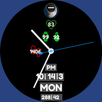
High-Fidelity Watch Faces: Optimized for Galaxy Watch Ultra, Pixel Watch 3, and other modern Wear OS devices.
Privacy-First, Local-First Architecture
100% Local-First by Default: All metabolic modeling, data processing, and device-to-device sync run entirely on your local hardware.
Zero Automatic Uploads: Health telemetry is never sent to any external server automatically.
Opt-In Anonymized Sharing: Choose to share data with loved ones or lightweight companion apps using a secure, user-initiated UUID and 6-digit access code—completely free of names, emails, or personal identifiers.
Latest Version
Varies with deviceRequires Android
Category
Free Medical AppContent Rating
Everyone
Report
Flag as inappropriateLast updated on Aug 29, 2026
This release includes minor bug fixes and general improvements. Update to the latest version for the best experience.



APKPure - A multi-platform app store primarily focused on Android, providing extensive app-related content. Discover the app you want easier, faster, and safer, with quick and efficient downloads and installations.