Package Name:com.avensis.glitchvideo
SHA-256:25f30f6289d53ad47f8b5fd877647d999c6d6ac547ac26d36745ee9cdb6c65a8
Show More
Glitch Video Maker is a fantastic app that allows you to quickly make beautiful glitch effect videos.
With the free glitch video editor, you can add a variety of glitch effects to your videos.
Now Make fantastic social media videos and share them with your friends.
You can quickly create videos and share them with your friends and make them amazed with your video editing skills.
Apply the effects like glitches, Vaporwave, grainy, trippy, Old TV, Vintage, Noise, Mirrors, Distortion, Aesthetic Effects and many more.
Perfect Glitch Effect:
With Glitch Video, you can choose from a variety of effects and apply them to a certain time line.
There are some amazing effects such as jitter, vhs, soul, beat, old tv, light leak, and other effects.
Retro Filter:
Using a retro filter, you can also apply a custom filter to the entire video, giving it a new color tone.
Your camera’s standard colour can seem boring sometimes, therefore you’ll need to add additional touch to the colour tone.
Your video will become more exciting to watch with this feature in Glitch Video glitch.
Trim Video:
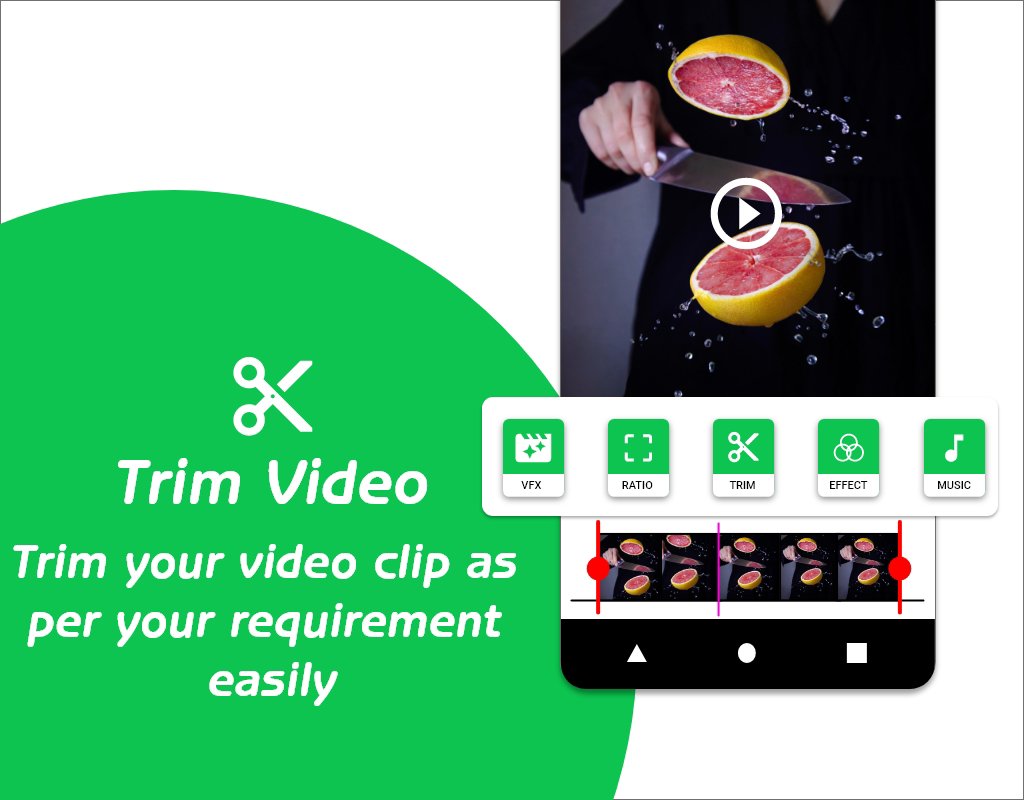
Glitch video maker also supports this feature, you can trim your video to the length you want.
It becomes too difficult when you want to just upload a small portion of it out of the long video.
That’s where this app comes handy.
You can trip your video in minutes with its easy-to-use interface.
Simply select the trim menu and slide it to the beginning and end portions of the video to complete the process.
Aspect Ratio:
There’s a different aspect ratio requirement for various social networking platforms.
For example, you’ll need square video (1:1) or 4:5 for Instagram feed video.
For YouTube, 16:9 is preferable in most cases.
For TikTok, there will be a 19:6 aspect ratio.
Choosing an aspect ratio is very simple with Glitch Video.
Simply select a ratio from the menu and select the one you require.
Music:
Make your video more interesting by including music.
Share Video:
After you save a video, it will appear in your gallery, and you may share it on social media sites like Instagram, Facebook, Twitter, and YouTube.
You don’t have to open another app to look for a video result; all you have to do is touch the share button in the Glitch Video app.
Latest Version
1.1Uploaded by
Sigit Pebri Pratamah
Requires Android
Android 7.0+
Category
Free Video Players & Editors AppContent Rating
Everyone
Security Report
Check Now
Report
Flag as inappropriateLast updated on Oct 12, 2022
Minor bug fixes and improvements. Install or update to the newest version to check it out!



APKPure - A multi-platform app store primarily focused on Android, providing extensive app-related content. Discover the app you want easier, faster, and safer, with quick and efficient downloads and installations.