Scan Date:Oct 19, 2024
Show More


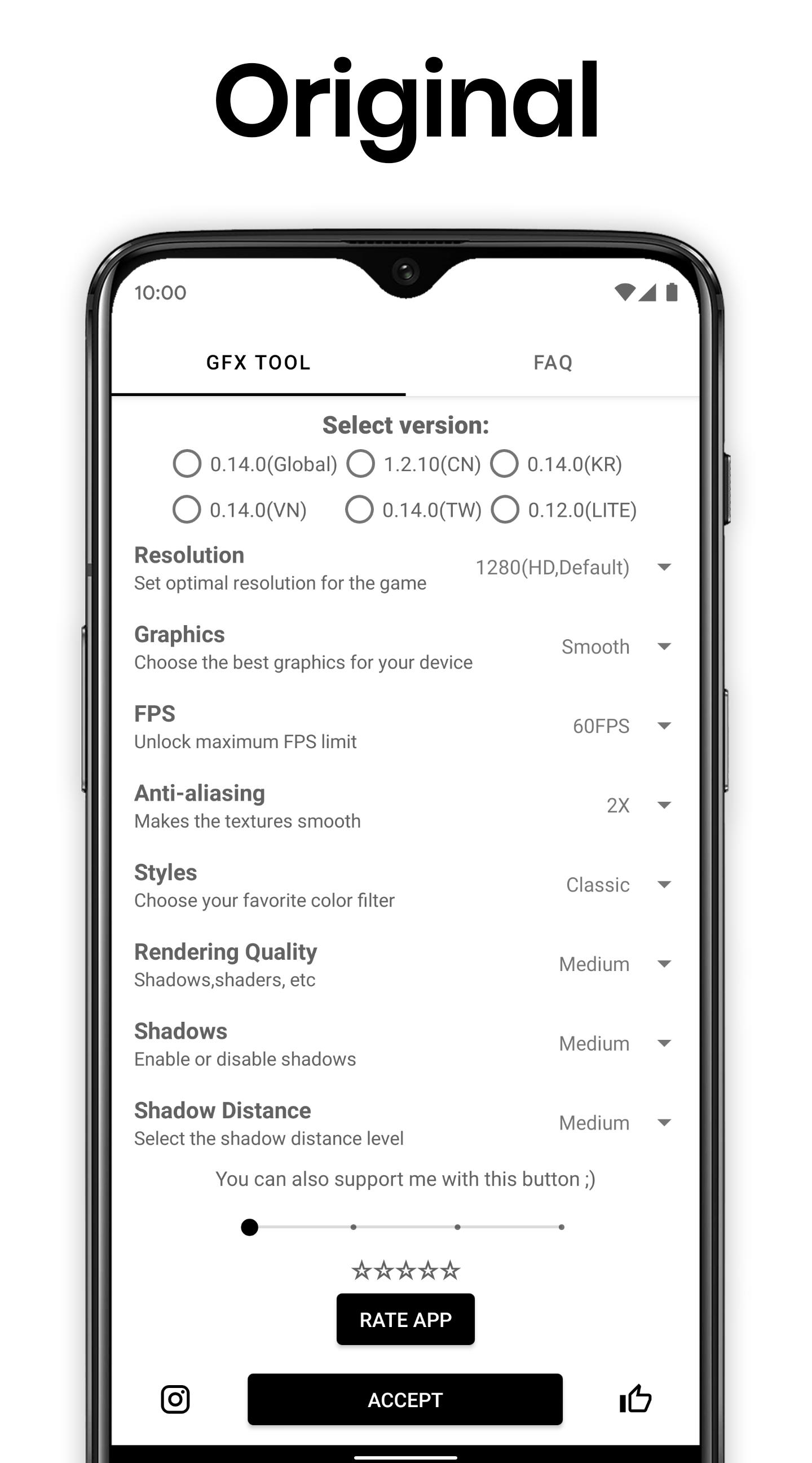
GFX Tool helps users who want better control over how their mobile games look and feel. It focuses on graphics options that affect clarity and smoothness, so you can match settings to your device and preferences. The process is straightforward because you pick the game version, choose your options, and launch the game from within the app. As a result, you spend less time switching between menus and more time playing. For convenient installation and updates, many users look for the GFX Tool APK.
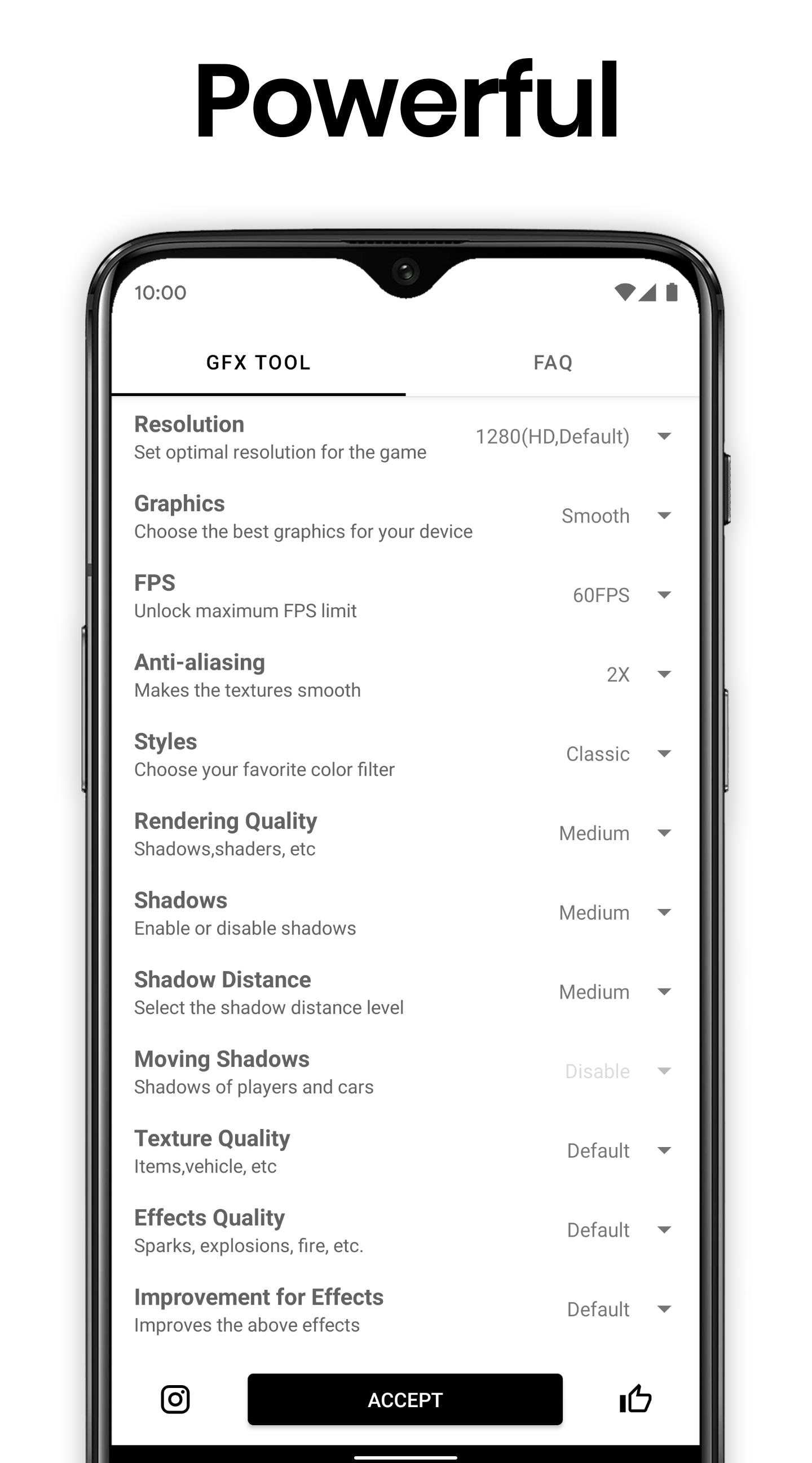
Adjustable resolution for your device
You can set the game resolution to suit your screen and hardware. Lower values can reduce strain on the device and keep gameplay steady, while higher values can make scenes look clearer. Testing a few options helps you find the balance that fits your phone.
HDR and full FPS range where supported
GFX Tool lets you enable HDR and access all available frame rate levels if the game and device support them. Higher frame rates can make controls feel more responsive, especially in fast matches. If the device gets warm or battery drains quickly, stepping down the frame rate is an easy way to stabilize performance.
Control over anti aliasing and shadows
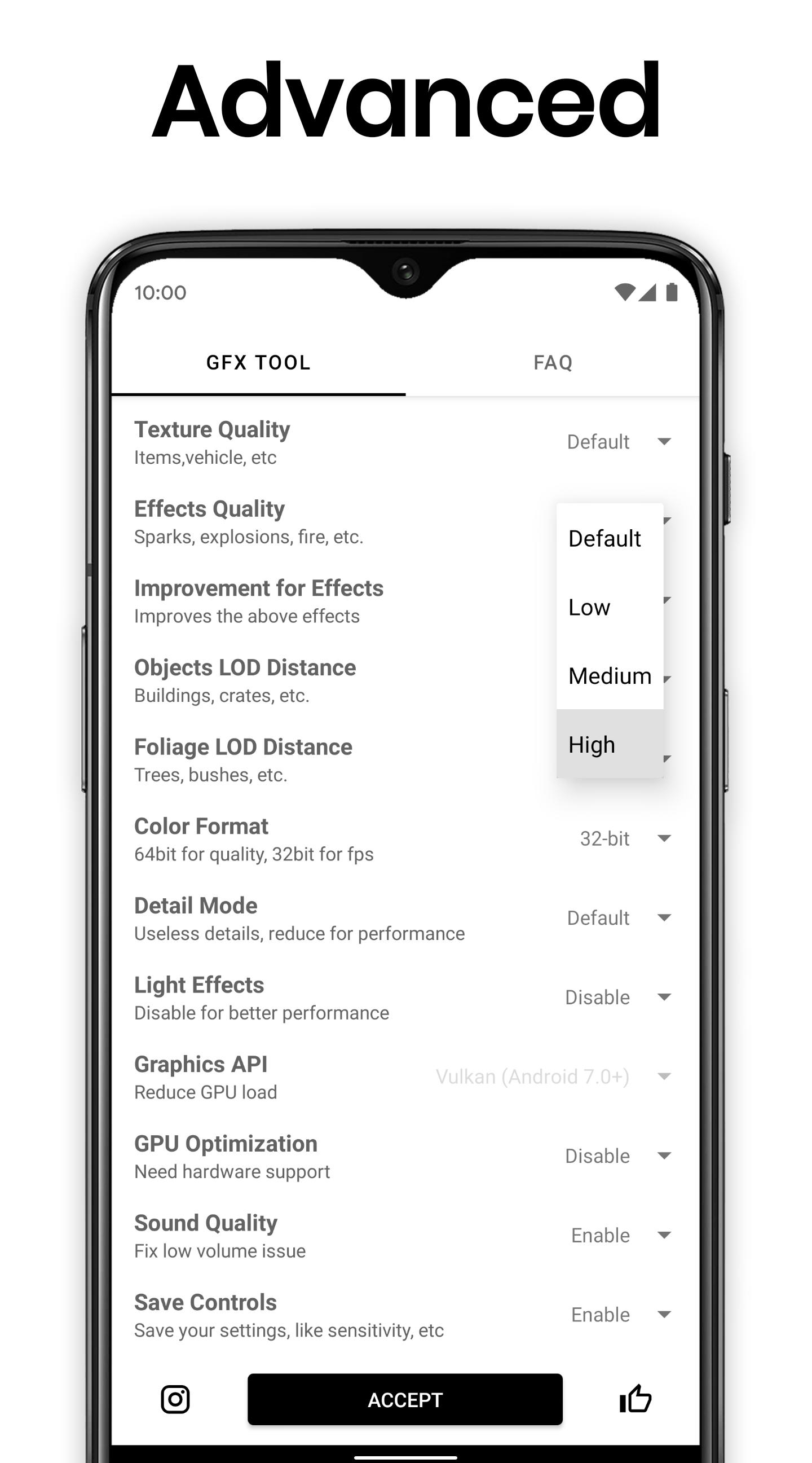
You choose the level of anti aliasing to smooth edges and set shadow quality to manage depth and detail. Higher settings can improve the look of distant objects and character outlines, but they may reduce performance on older hardware. Starting with moderate values, then adjusting one setting at a time, makes differences easier to see.
Version specific setup and direct launch
GFX Tool asks you to select the exact game version before applying changes. This helps the app match options correctly to the build you play. After you tap Accept and Run Game, the title opens with your chosen settings, which avoids manual toggles each time.
Lightweight utility focused on visuals
The app concentrates on graphics customization without extra boosters or complex screens. You move through clear steps to pick options and start the game. This focused design reduces distractions and keeps the setup process quick.
GFX Tool is developed by tsoml and is an unofficial customization tool. It is not affiliated with or endorsed by any game publisher, so naming and content refer to compatibility rather than partnership.
Many games set rules about third party tools. Using external customization apps may lead to account restrictions in some titles. To avoid issues, review each game’s policies and follow the terms before applying graphics changes.
GFX Tool is available on Android in different package types, including APK and XAPK. Choose the format that works with your installer, then follow on screen prompts during setup.
The basic workflow is short and repeatable, so you can fine tune settings over time. If you plan to download GFX Tool, the steps below outline how to prepare your game for a smoother session.
GFX Tool offers a simple way to align graphics with your device for clearer scenes and steadier play. For users who want consistent control over visuals, the GFX Tool latest version provides a focused setup and direct launch workflow.
For official information and support, use the links below.
Latest Version
10.4.0Uploaded by
羅一鳴
Requires Android
Android 5.0+
Category
Free Tools AppContent Rating
Everyone
Security Report
Report
Flag as inappropriateLast updated on Sep 3, 2024
• Added support for Android 14/15
• Minor bug fixes and improvements


APKPure - A multi-platform app store primarily focused on Android, providing extensive app-related content. Discover the app you want easier, faster, and safer, with quick and efficient downloads and installations.



![GFX Tool for PUBG - Game Booster & Launcher [Free] APK](https://image.winudf.com/v2/image1/Y29tLmZpcmEucHViZ2dmeF9pY29uXzE1NjMzNTA2NTdfMDI3/icon.png?w=102&fakeurl=1)