The lock screen detects and adjusts every time the signature is created and stored on the lock screen with their signature by as your lock screen password. You can draw and save each item as the symbol of the star, heart, triangle, square, circle, etc., or you can use any numeric number or a signature of her as a password.
How to use Gesture Lock Screen
- they launch their application in new way by drawing gestures on the screen
- Create your own gesture for unlocking the Apps
- free to write any symbol, shapes, alphanumeric, signature etc. and dedicate it to your app
- Alter or change the dedicated gesture
- master password for security purpose
- simple and easy to use
Gesture lock Screen Features
- Very easy to use, unlock your phone with gesture or password.
- Add, remove and edit gesture.
- Home password for security reasons.
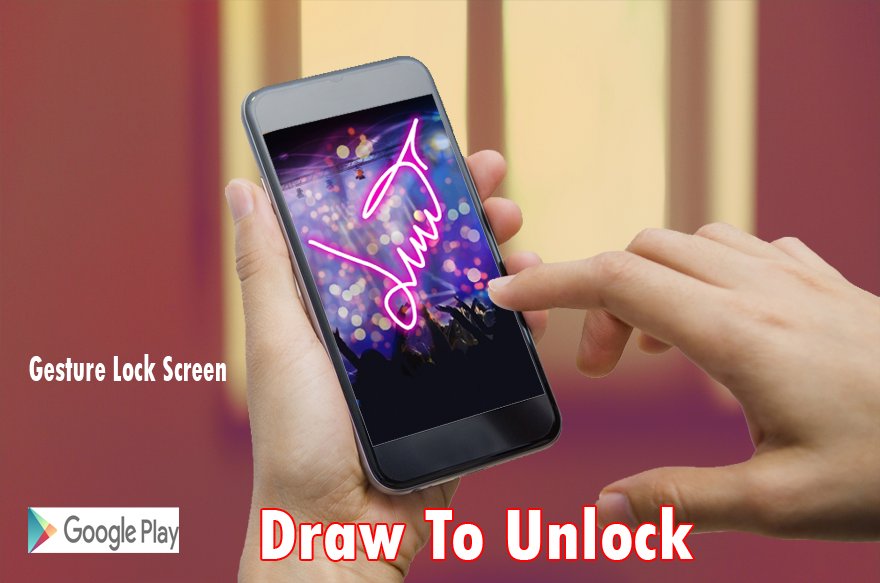
- Draw gesture with effects to unlock the screen.
- Variety of color to draw gesture.
- +5 HD wallpapers for the lock screen or choose your favorite wallpaper from the gallery.
- Invisible mode to hide your gesture when drawing.
- Customize the font and color on the screen lock
- Enter recovery password to disable the screen lock.
- Gesture lock screen support 2 mode: one stroke and multi stroke.
- Use as your screen lock a simple password or signatures, shapes, letters….
- Show the date/time on the lock screen.
- Specify the recovery password (4 to 8 digit passwords)
- Edit / Draw gesture on password.
- if you forget the gesture, enter the backup password to unlock the phone.
- Battery percentage % indicator.
- Set a customer ringtone as unlock, lock, error sounds.
- Different time and date formats.
Some Notes
- Gesture Lock screen presentation silence for those who by locking the annoying password pattern or open your favorite applications and for those who have some creative lock application will start the application. With the finger on a link, the navigation from one program to another by simply a gesture with one finger on your Android device.
- Gesture lock screen has all of this powerful functionality for free. install it now!
- Draw letters, numbers, shapes, signatures and contextual gestures you unlock the phone.
- Imagine that you can start your favorite applications only by alphanumeric or character or any form displayed on your mobile phone, it’s incredible!
- The Lock screen detects when the signature on the lock screen with your signature to be created and saved.
* Install Gesture lock Screen now! It’s free forever!
* If you like Gesture Lock Screen for Android, give us 5 ? Stars.
* You’ll never regret downloading Gesture lock Screen, Enjoy it.
Latest Version
2.1.0Requires Android
2.3 and up
Category
Free Lifestyle AppContent Rating
Everyone
Report
Flag as inappropriateLast updated on Feb 8, 2017
This release includes minor bug fixes and general improvements. Update to the latest version for the best experience.



APKPure - A multi-platform app store primarily focused on Android, providing extensive app-related content. Discover the app you want easier, faster, and safer, with quick and efficient downloads and installations.