Use APKPure App
Get Geometry Dash SubZero for Android TV old version APK for Android
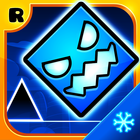

Geometry Dash SubZero is a rhythm-based action platformer that syncs every move to energized tracks.
Geometry Dash SubZero suits players who want fast sessions that focus on timing and pattern recognition during offline play. It centers on short attempts that reset quickly, which makes it useful for commutes or breaks, and it keeps progress pressure low while you learn. The striking visuals pair with high tempo music to set clear cues for jumps and flips, and the controls stay simple so you can concentrate on rhythm. If you plan to download Geometry Dash SubZero, expect a focused challenge built around repetition and precise taps.
Geometry Dash SubZero aligns obstacles and animations to the beat so each tap lands on a clear cue. You tap to jump, hold to fly or ride, and release to drop, all while the soundtrack marks the pace. This setup rewards consistent timing and gives immediate feedback whenever you miss a beat.
Tracks by MDK, Bossfight, and Boom KittyThe stages are built around songs from MDK, Bossfight, and Boom Kitty, and the patterns reflect each track. As the music shifts, the pace and hazard types change in step, which helps you anticipate upcoming sections without on screen text. Audio and visuals work together to signal when to commit to a move.
Practice Mode for learning sectionsYou can switch to Practice Mode to place checkpoints and repeat difficult parts until the timing feels comfortable. This mode lowers the pressure while you map out routes and get used to transitions. When you return to a full run, your muscle memory carries over and makes progress more consistent.
Unlockable SubZero iconsGeometry Dash SubZero includes a set of SubZero themed icons that you unlock by meeting in game goals. Customizing the cube or vehicle gives a small sense of progression as you refine skills. Visual changes do not affect difficulty, so your focus stays on clean inputs.
Offline single player with high replayThe game works without an internet connection and saves locally, so you can play anywhere. Short runs, quick restarts, and escalating patterns encourage repeated attempts until a route clicks. This loop keeps attention on practice and completion rather than long sessions.
Geometry Dash SubZero is free with ads. Ads may appear during use, and they help support ongoing development. Purchase options are not required to finish stages, and core gameplay remains the same for all users.
This app may share app activity and device identifiers. It may collect personal information and device identifiers. Data is encrypted during transit, and the developer supports requests to delete data. Actual practices can vary by region and use.
If you want more from the series, other RobTop Games releases include Geometry Dash, Geometry Dash Lite, Geometry Dash World, and Geometry Dash Meltdown. These entries explore different level sets and difficulty curves. Availability can vary by region.
The game uses one finger controls and quick restarts, so a short session works well. To get started, follow these steps on your phone after installing the Geometry Dash SubZero APK.
Geometry Dash SubZero delivers a focused, music driven challenge with one touch controls and offline single player. For a quick way to jump in, get the Geometry Dash SubZero latest version on this page and start practicing precise taps.
For official support and information, use the links below.
Latest Version
 2.2.147
Uploaded by
RobTop Games
Requires Android
Android 6.0+
Available on

Category
Report
Last updated on Jan 30, 2026
Minor bug fixes and improvements. Install or update to the newest version to check it out!





APKPure - A multi-platform app store primarily focused on Android, providing extensive app-related content. Discover the app you want easier, faster, and safer, with quick and efficient downloads and installations.