Display and Edit GPS Tags of JPG file on Map
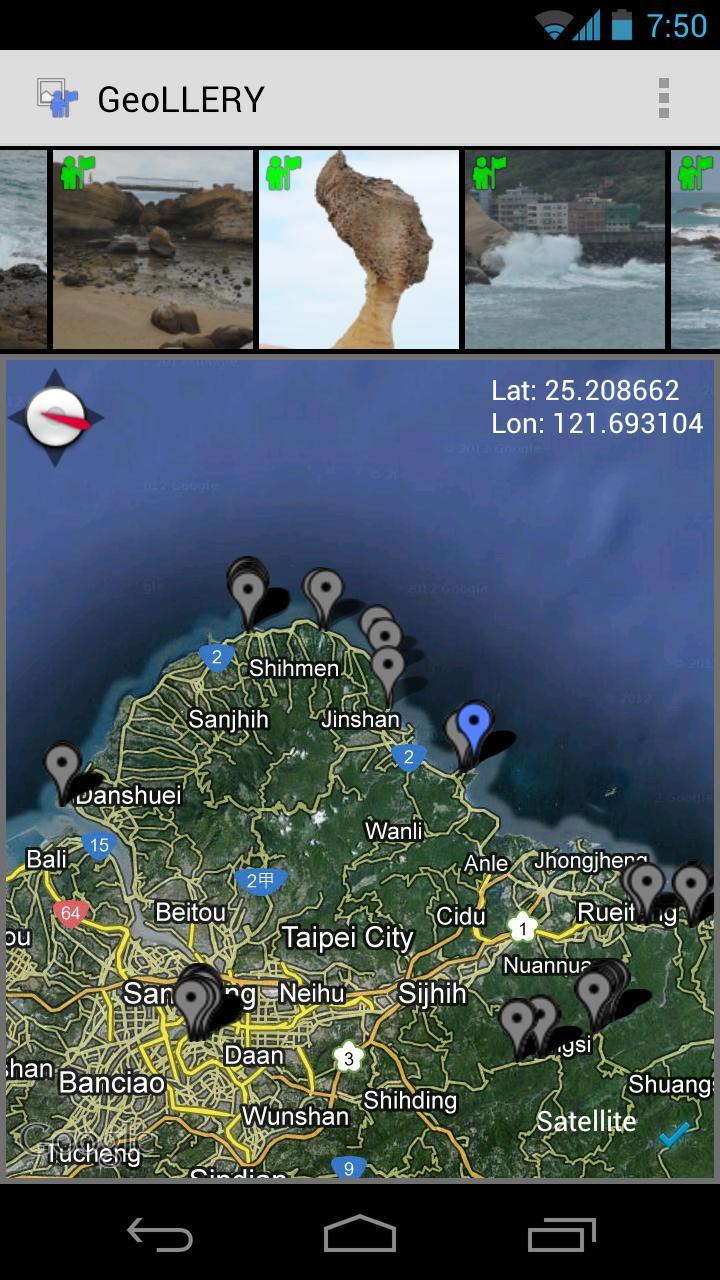
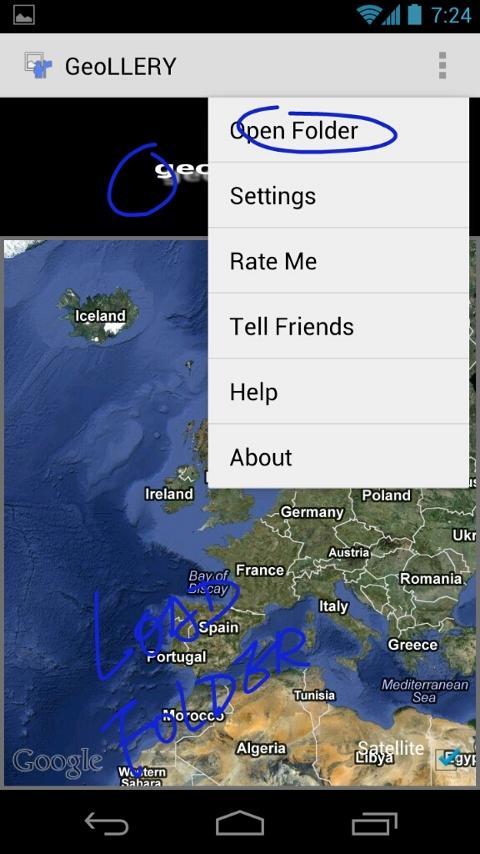
- Click MENU -> Open Folder to load files. The location embedded in JPG's Exif will be marked on Map.
- Tap on the markers/Long touch on the photos will open the photo in bigger view.
- Tap on the lower-right checkbox to switch between Map view and Satellite view.
- Tap on the "My Place" icon to edit GPS Tags of the JPG Exif.
keywords: GPS tags jps exif editor Nikon Canon Olympus Panasonic Sony Samsung Pentax Fujifilm photos map Coolpix
Latest Version
2.4Uploaded by
S'Tung Kitipat
Requires Android
Android 3.0+
Category
Free Photography AppContent Rating
Everyone
Report
Flag as inappropriateLast updated on Dec 10, 2015
- Bug Fixed




APKPure - A multi-platform app store primarily focused on Android, providing extensive app-related content. Discover the app you want easier, faster, and safer, with quick and efficient downloads and installations.