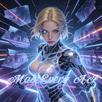
Vibedance AI Video Generator helps users who want quick short videos for social posts without editing experience. It fits moments when you have an idea or a selfie and need a shareable clip in minutes, so the process feels simple on mobile. You can type an idea or start from a photo, and the app produces a short video that suits Reels, Shorts, or challenges. Users who plan to download Vibedance AI Video Generator can expect a direct path from concept to export with minimal steps.
Text prompts to short videos
Vibedance AI Video Generator converts plain language prompts into short dance videos in a few taps. You describe a style or mood, and the system applies seedance AI to create movement and timing. This helps when you want ideas to turn into motion without arranging clips or keyframes. Results appear quickly, so you can adjust prompts and try versions before sharing.
Animate photos into dance clips
You can upload a selfie, a character image, or a product shot, then turn it into a dancing clip. The image-to-video flow supports playful looks such as anime, cartoon, K pop, and the baby dance meme. A clear source photo with the subject centered usually gives more stable motion. After generation, you can save or run a second pass with a different theme.
Trend templates for Reels and Shorts
The app includes themed presets that match short video trends and social challenges. You choose a template aligned with popular formats for TikTok, Instagram Reels, or YouTube Shorts, then apply it to your prompt or photo. Templates guide pacing and transitions, which reduces trial and error. This is useful when you want to match a challenge quickly without manual editing.
Simple mobile workflow
The interface focuses on essential steps, so a beginner can create on the first try. You pick a method, add a prompt or image, select a theme, and start generation. Feedback appears on screen as the clip builds, which keeps the flow clear. If the result is not what you expected, you can adjust the input and try again in the same session.
Built for social export and quick sharing
Vibedance AI Video Generator prepares clips for short form platforms and lets you export in a tap. You can send the video to TikTok, Instagram, or YouTube directly from the app, which helps when posting during a trend window. Since the process runs on mobile, you can generate and share while on the go. This supports creators who publish several times a day.
Templates center on trend categories that many users look for right now. You can explore K pop inspired choreography for upbeat tracks, anime or cartoon moves for stylized characters, and the AI baby dance meme for playful clips. These categories help you match community trends faster than building sequences by hand. If a trend shifts, you can switch templates and reuse the same prompt or photo.
Describe style, mood, and pace in one line, for example: energetic K pop dance with quick cuts.
Add character or vibe details for image uploads, for example: anime hero with bright colors and smooth moves.
For baby dance memes, keep prompts simple, for example: cute baby dance with head nod and arm swing.
When a result feels too busy, shorten the prompt and pick a calmer template.
This app suits creators who post Reels or Shorts several times a week and want fast production. Marketers can turn product photos into playful dance clips for quick promos. Trend seekers can test ideas during a challenge and choose a template that fits the current sound or format. The quick loop from prompt to export helps when timing matters.
These steps outline the basic flow from idea to share. Use them when starting a new clip or when you return to try a different style with the same source. If needed, search for Vibedance AI Video Generator APK on APKPure when looking for installation information on Android devices.
Open the app, then choose to start from text or start from an image.
If you choose text, type a short prompt that describes the dance style and mood. If you choose image, select a clear photo with the subject centered.
Next, browse the templates and pick one that aligns with your target platform or challenge.
Then start generation and wait for the preview to appear. Review the motion and timing, and adjust the prompt or template if needed.
Finally, export the clip and share it to TikTok, Instagram, or YouTube in one tap.
Vibedance AI Video Generator focuses on quick creation for Reels, Shorts, and social challenges. It turns prompts and photos into short clips that you can export and share from your phone. To stay current with templates and improvements, you can always download Vibedance AI Video Generator latest version APK from APKPure.
Latest Version
0.4.2Uploaded by
Quy Phan
Requires Android
Android 7.0+
Category
Free Art & Design AppContent Rating
Everyone
Report
Flag as inappropriateLast updated on Apr 23, 2026
Enhanced Reliability: Improved video generation stability with a new "Circuit Breaker" system that automatically handles high traffic and prevents stuck tasks.
Backend Optimization: Fixed critical backend logic for prompt enhancement and updated API integrations to ensure smoother performance.



APKPure - A multi-platform app store primarily focused on Android, providing extensive app-related content. Discover the app you want easier, faster, and safer, with quick and efficient downloads and installations.