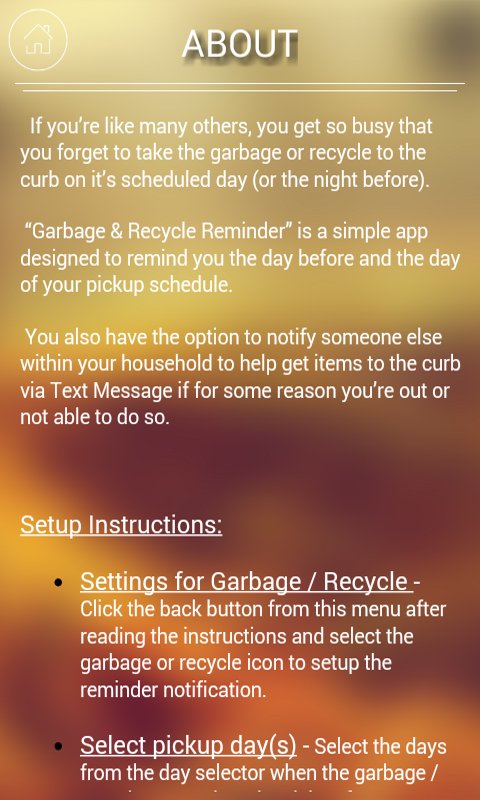
If you’re like many others, you get so busy that you forget to take the garbage or recycle to the curb on it’s scheduled day (or the night before).
“Garbage & Recycle Reminder” is a simple app designed to remind you the day before and the day of your pickup schedule.
You also have the option to notify someone else within your household to help get items to the curb via Text Message if for some reason you’re out or not able to do so.
Setup Instructions:
● Settings for Garbage / Recycle - Click the back button from this menu after reading the instructions and select the garbage or recycle icon to setup the reminder notification.
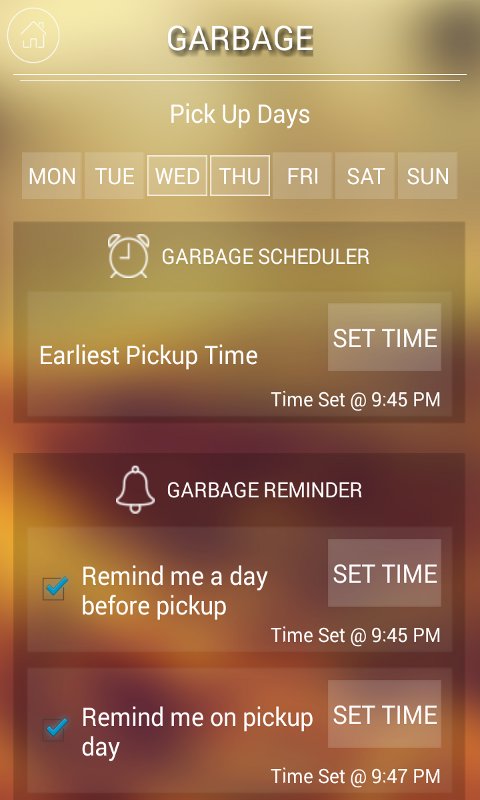
● Select pickup day(s) - Select the days from the day selector when the garbage / recycle removal trucks pickup from your home. *You can select more than one day.
● Set Garbage / Recycle Pickup Time - Set the earliest time that the garbage / recycle is picked up on those days.
● Set Reminder Notification(s) -
○ Day Before Pickup Reminder - Select the check box to be reminded the day before a pickup day is scheduled to be notified.
Click “Set Time” to set the notification time to be reminded the day before.
○ Remind on Pickup Day - Same as the previous setting, select the check box if you wish to also be notified with a reminder on the day of the scheduled pickup.
○ Click “Set Time” to set the notification time to be reminded on the pickup day.
● Notification Reminder Snooze - This is the area that says “5 Minutes” and is the set Snooze time for the garbage or recycle notification reminder IF on notification you select
“Snooze”
● Notify Other - Just beneath the Snooze time is the “Notify Other” selector. This is the person you wish to notify upon the initial notification reminder to help take out items to the curbside if you’re away or unavailable. This is usually set for other family or household members.
○ On initial setup, if no one has been setup to notify, you will not see this option.
○ Click “Save” and back button on your device or “Home” and go to “Notify Other” setting from the main menu.
■ Here you will have the option to add a person(s) from your device's
■ After you’ve added someone, go back to the garbage / recycle setting
■ NOTE - The contact will not be automatically notified. When the contact list to notify when reminded ,page, select the person to be notified and save, notification reminder pops up; you will have the option to SNOOZE, select ALREADY DONE (have already taken to curb) or NOTIFY OTHER.
○ If “Notify Other” is selected when reminded, the application will automatically open your devices default text messaging app and insert the contact’s phone number with a message requesting if they can help take out the garbage/recycle by the set time and day.
○ Selecting “Already Done” option on the notification reminder will disable all further notification specifically for the garbage or recycle for that specific day and cancel any future notifications.
Hope this application helps!
Latest Version
1.0Uploaded by
Hassan AL Salamy
Requires Android
Android 2.2+
Category
Free Productivity AppContent Rating
UnratedWarning – content has not yet been rated. Unrated apps may potentially contain content appropriate for mature audiences only.Learn More · Unrated
Report
Flag as inappropriateLast updated on Sep 9, 2016
This release includes minor bug fixes and general improvements. Update to the latest version for the best experience.



APKPure - A multi-platform app store primarily focused on Android, providing extensive app-related content. Discover the app you want easier, faster, and safer, with quick and efficient downloads and installations.