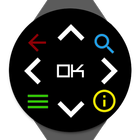
Pilot your Freebox Player from your watch or smartphone/tablet. This remote control is simple, complete and ergonomic.
Simply enter your network remote code (accessible from your Freebox Player interface) and to indicate which of your Freebox Player you want to control in the settings.
Your phone must be connected to for Freebox's Wi-Fi network. Your watch must be connected to your phone via Bluetooth.
You can now control your TV from anywhere in your home.
Network remote code is mandatory, if your Freebox type doesn't allow you to find this code, this app cannot work.
Latest Version
1.4.1Uploaded by
Danielle Dubois
Requires Android
Android 4.3+
Category
Free Tools AppContent Rating
Everyone
Report
Flag as inappropriateLast updated on Dec 14, 2017
Update libraries.
Minor fixes.



APKPure - A multi-platform app store primarily focused on Android, providing extensive app-related content. Discover the app you want easier, faster, and safer, with quick and efficient downloads and installations.